Exness rebate for existing clients

If you already have Exness accounts and want better cost efficiency, you can activate rebates via partner transfer in chat—no new signup flow. Follow the steps below to earn cashback on trades, including up to $10.5/lot example levels on gold campaigns where applicable.

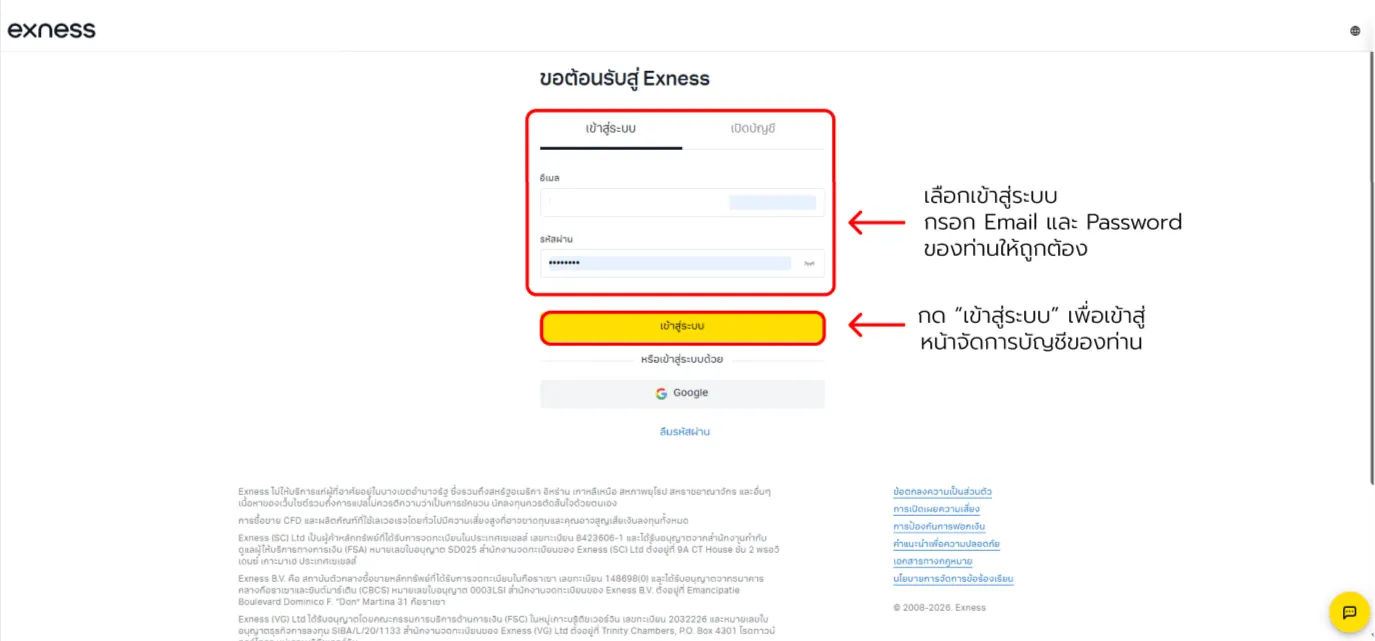
1. Sign in to the client area

Open the Exness site to start the partner transfer flow.
Exness partner change — screenshot 1

Scroll to see all details

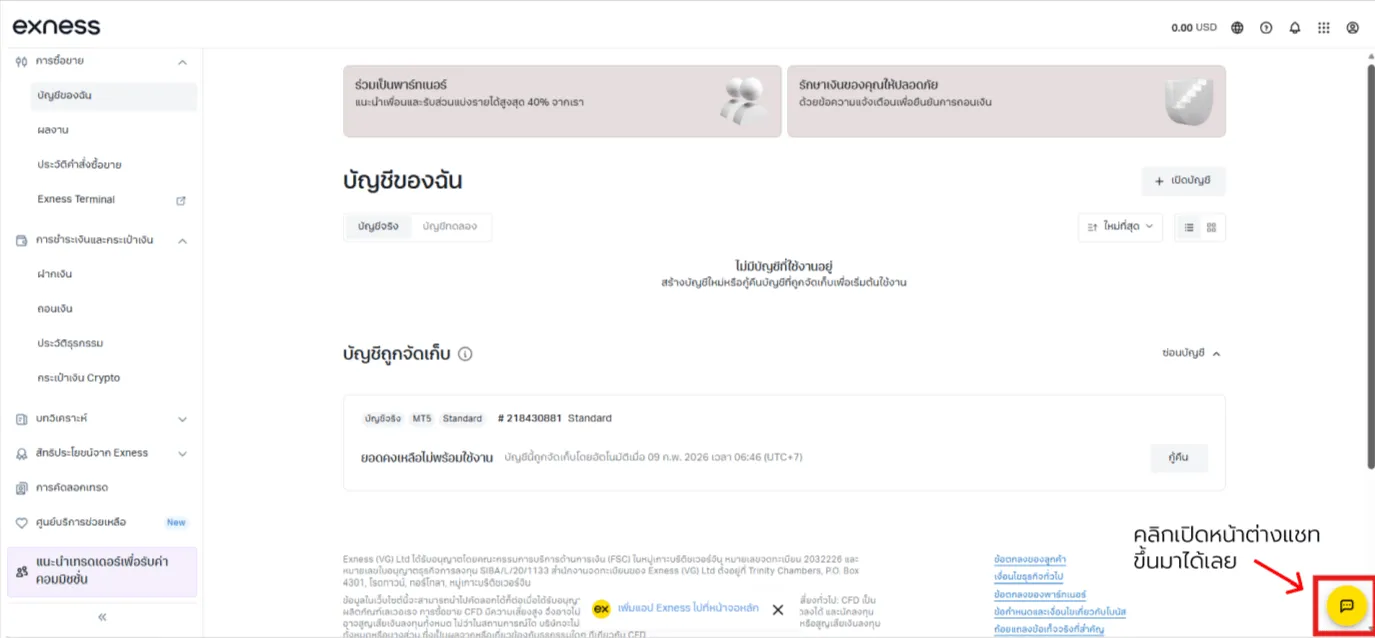
2. Launch Live Chat

On the homepage, find the inbox/support chat icon.
Exness partner change — screenshot 2

Scroll to see all details

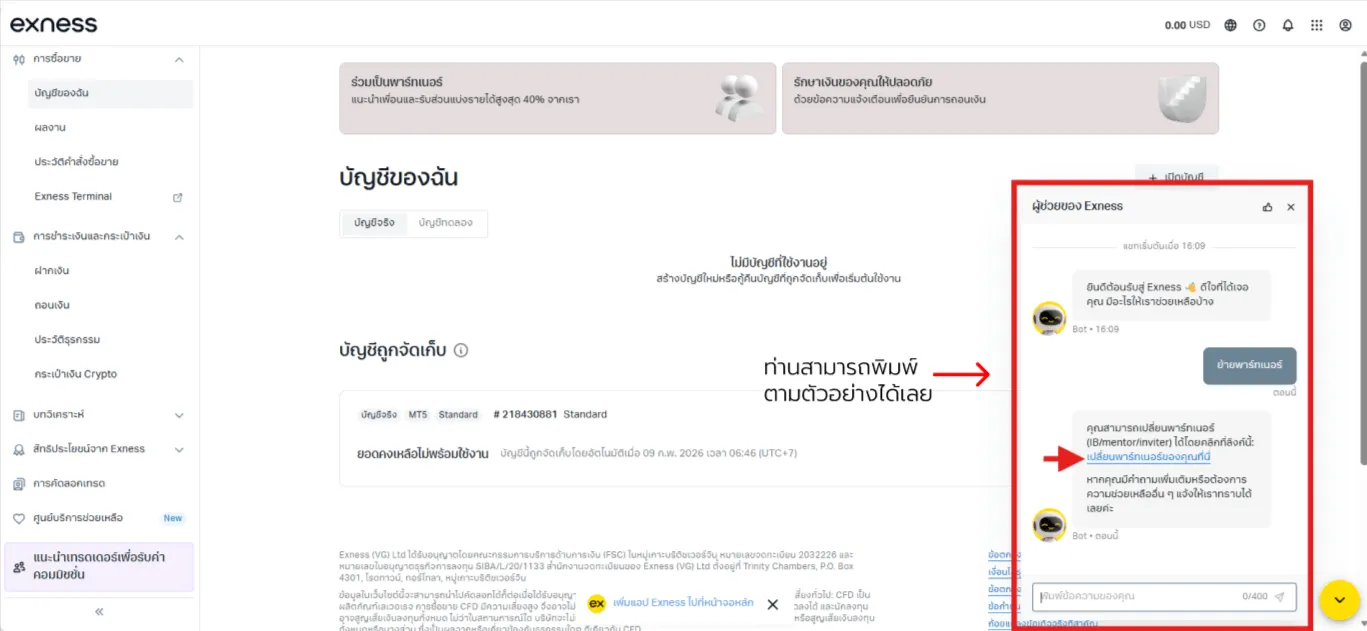
3. Request partner transfer

In chat type “partner transfer” (localized wording) per support guidance and send.
Exness partner change — screenshot 3

Scroll to see all details

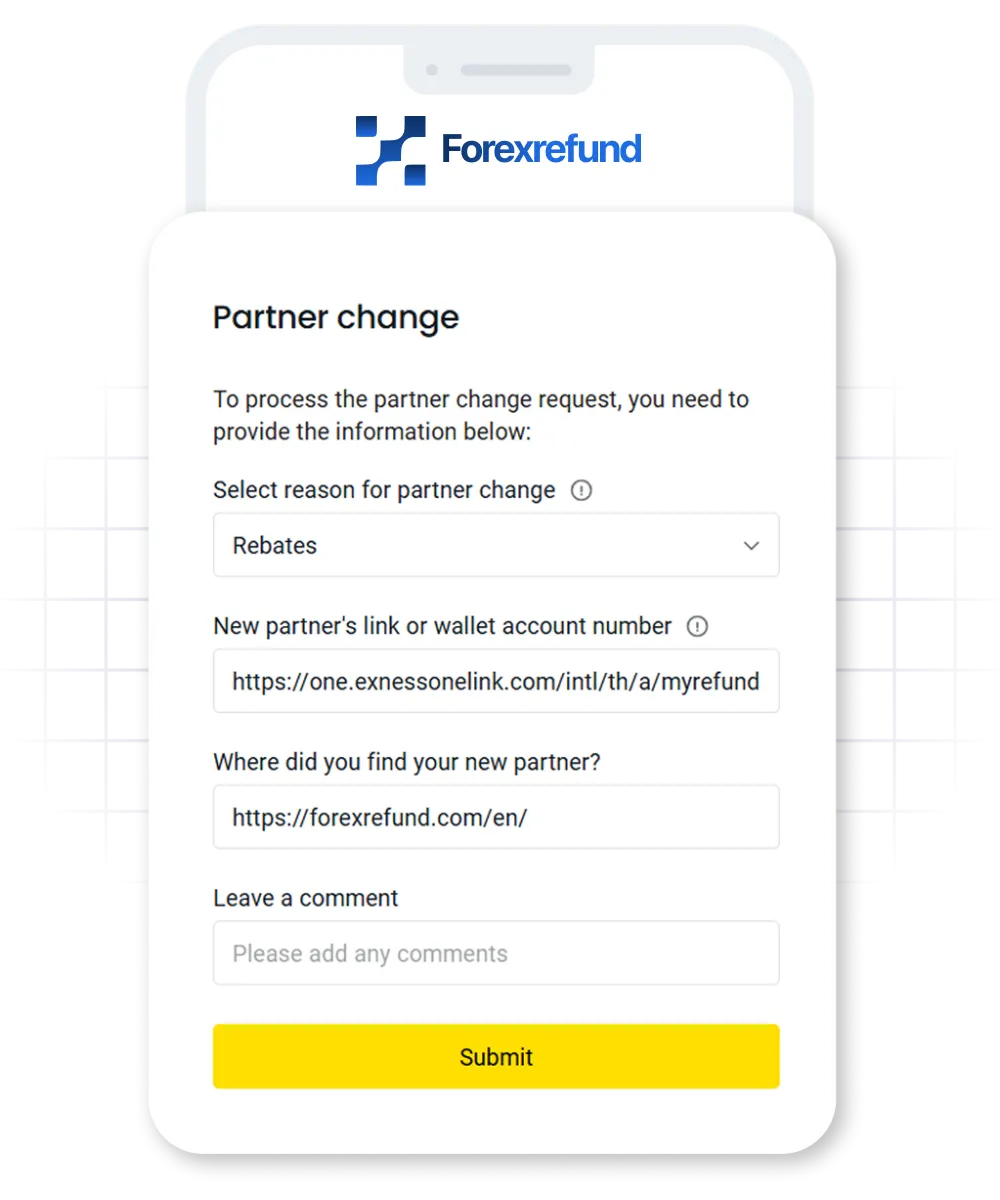
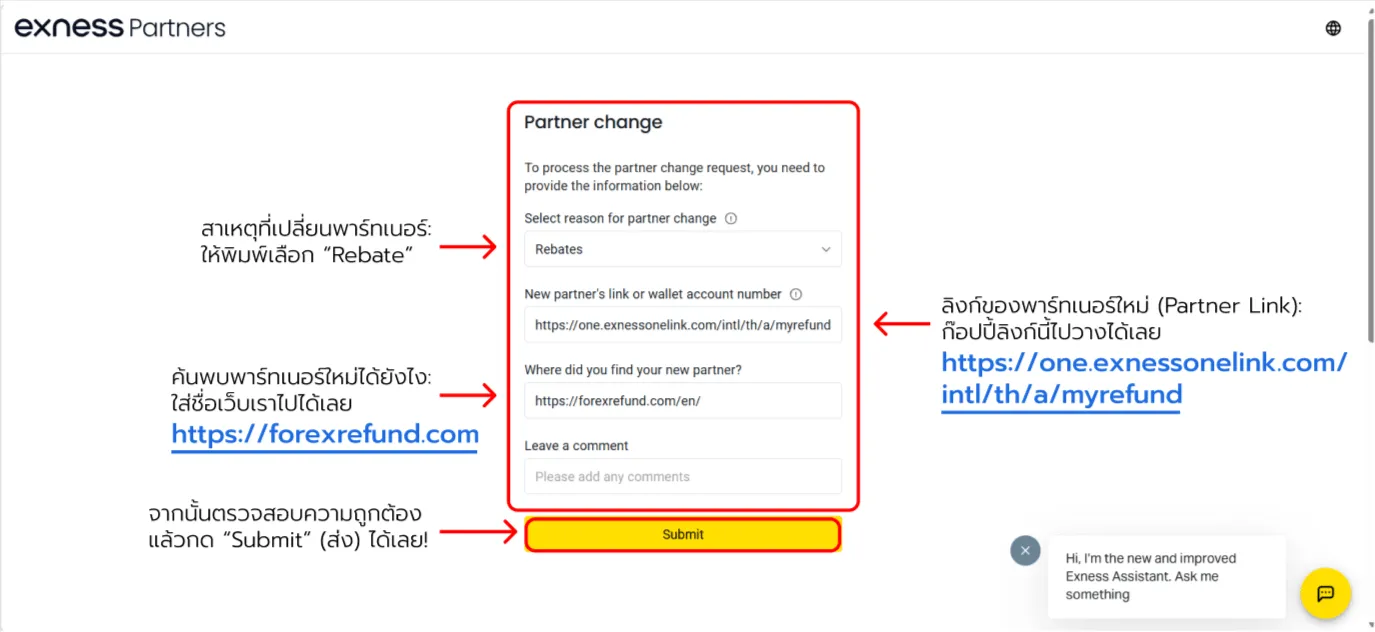
4. Enter the new partner details (critical)

On the partner change form, paste the ForexRefund URLs exactly.

Site name:
https://forexrefund.com
New partner link:
https://one.exnessonelink.com/intl/th/a/myrefund
Exness partner change — screenshot 4

Scroll to see all details

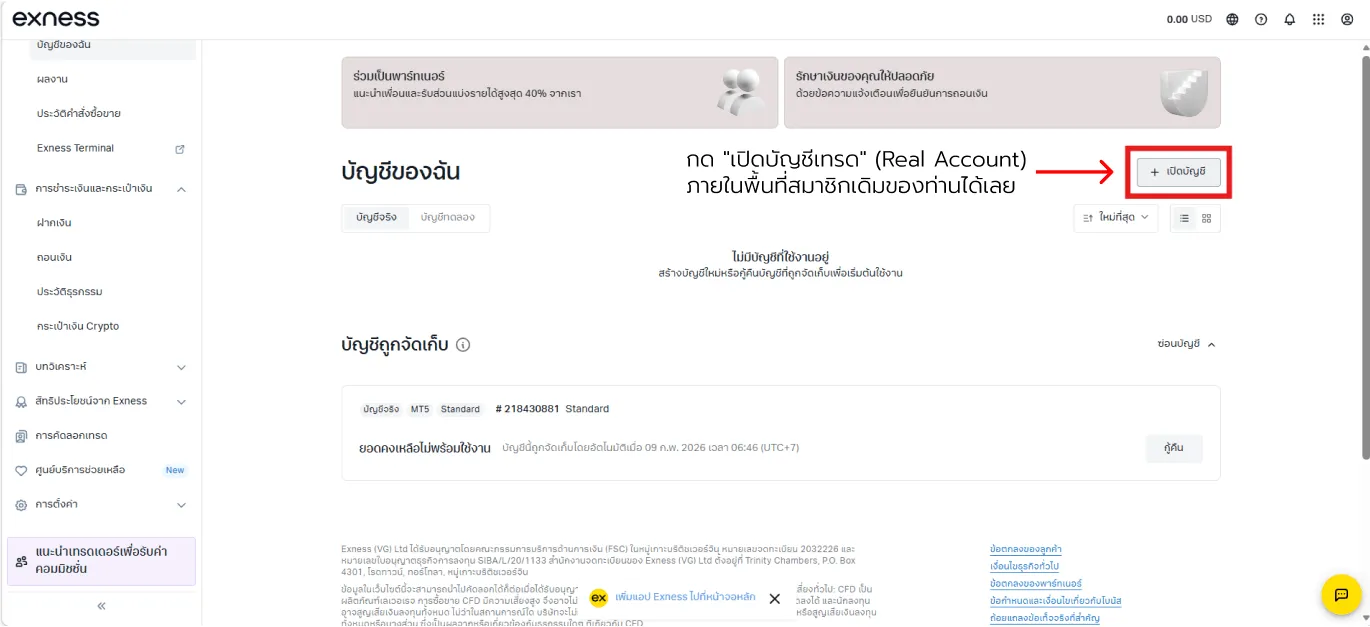
5. Confirm email then open rebate-eligible trading accounts

After submitting, watch for Exness confirmation emails:
  • Once approved, open/reopen a Live trading account inside the same client area.
  • For rebates, route volume through newly opened accounts after the transfer—not legacy ones.
Exness partner change — screenshot 5

Scroll to see all details

After transfer, rebates accrue automatically on eligible trades
according to ForexRefund promotion rules.

FAQ: Partner transfer steps

Common questions about Exness partner migrations.

What is partner/IB migration?

Answer: It changes your introducing broker so rebates/support follow the new program.

How do requests work?

Answer: Use Exness Live Chat, state your intent, and complete ID checks agents request.

Do I need a fresh account?

Answer: Often no—existing accounts migrate—but some edge cases force a fresh signup.

Does trading pause?

Answer: Open trades rarely break, though rebate entitlement follows the updated partner timeline.

Any restrictions?

Answer: Read Exness eligibility—history, timelines, or account types may block certain moves.

News

Stay updated to increase Net Rebate and news