Before you open an Exness account

Check that your personal details exactly match official ID, prepare verification and proof-of-address documents for fast approval, pick account type and platform to match how you trade, and understand fees, terms, and risks before you start.

1. Register and basic account setup

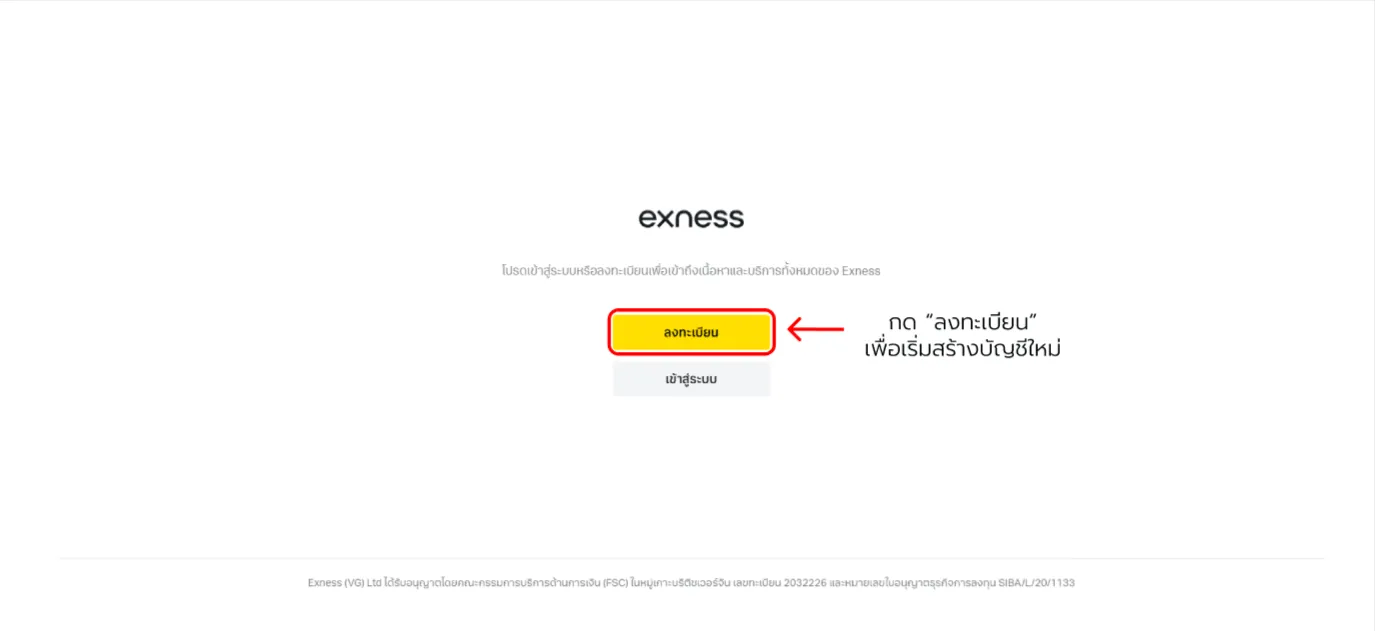
Go to the Exness site and tap the yellow “Register” button to create your account.
Exness open account — screenshot 1

Scroll to see all details

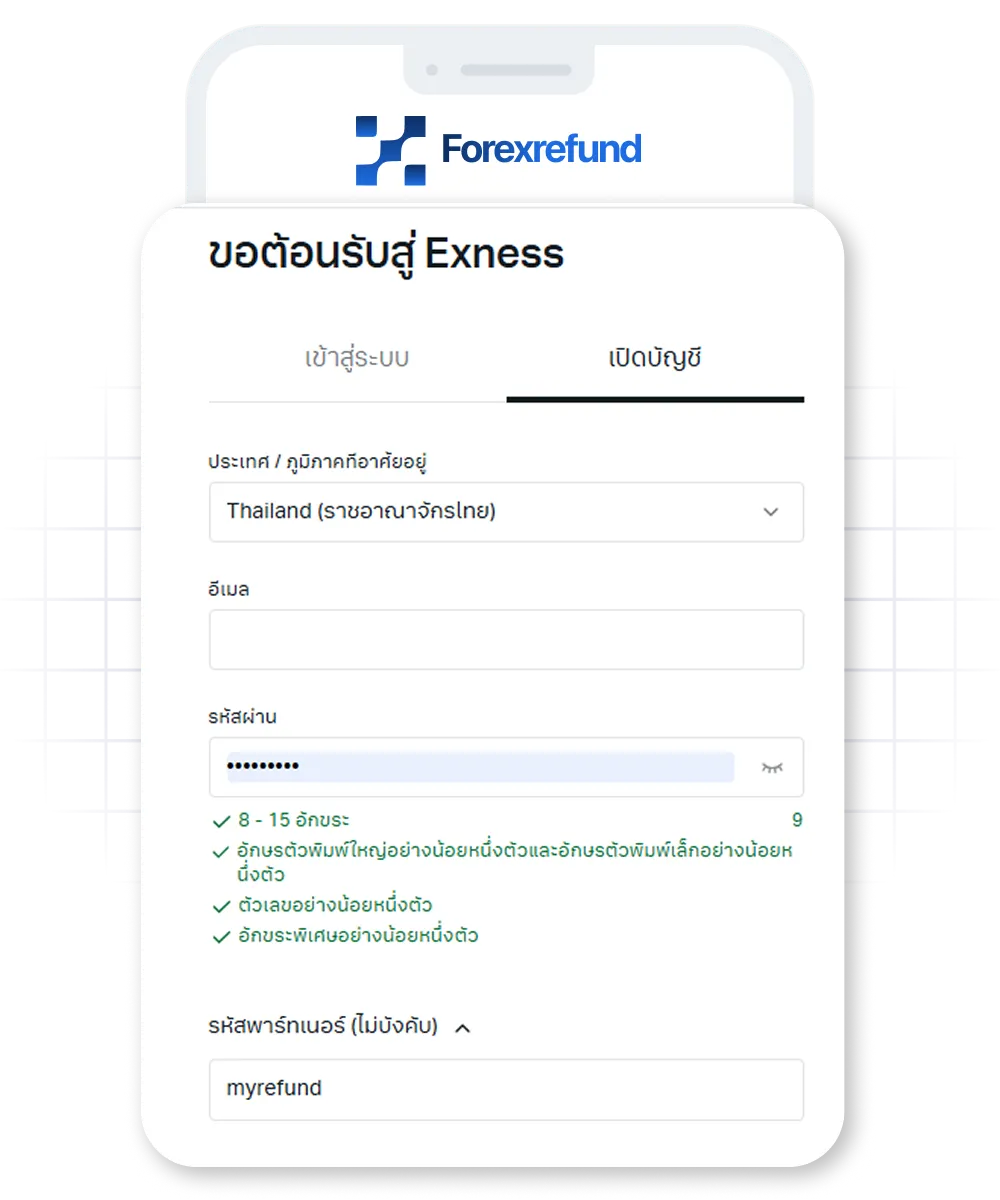
2. Fill in details & rebate partner code

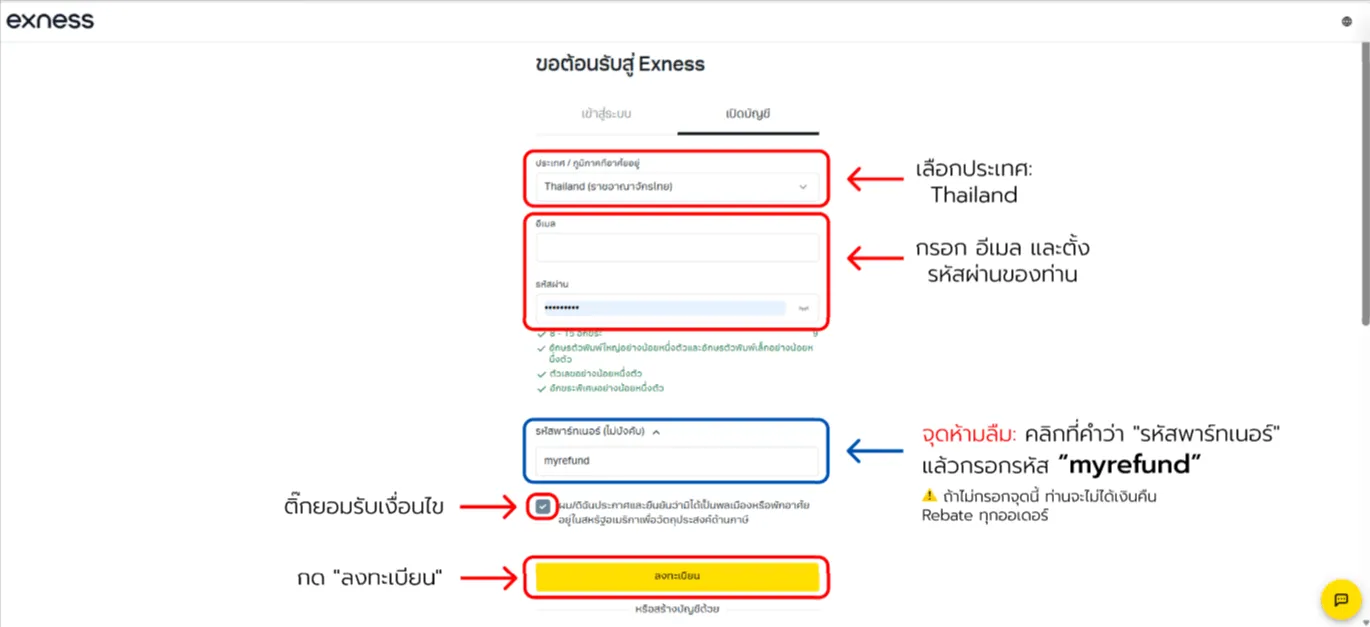
This step is critical for cashback—enter the partner code correctly.

Partner code: myrefund
Do not forget the partner code! Type it into the partner code field.
If you skip this, you will not receive rebates on every order.
Exness open account — screenshot 2

Scroll to see all details

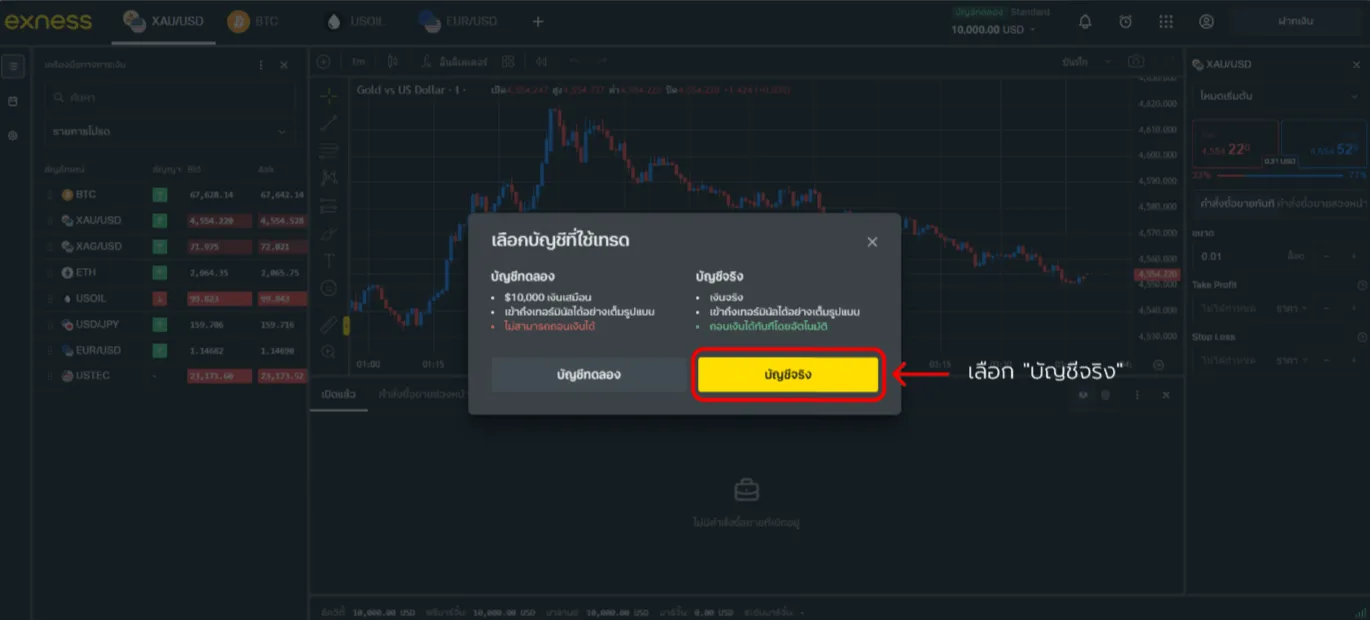
3. Choose the portfolio type

Choose whether you want to try demo first or go live:
Exness open account — screenshot 3

Scroll to see all details

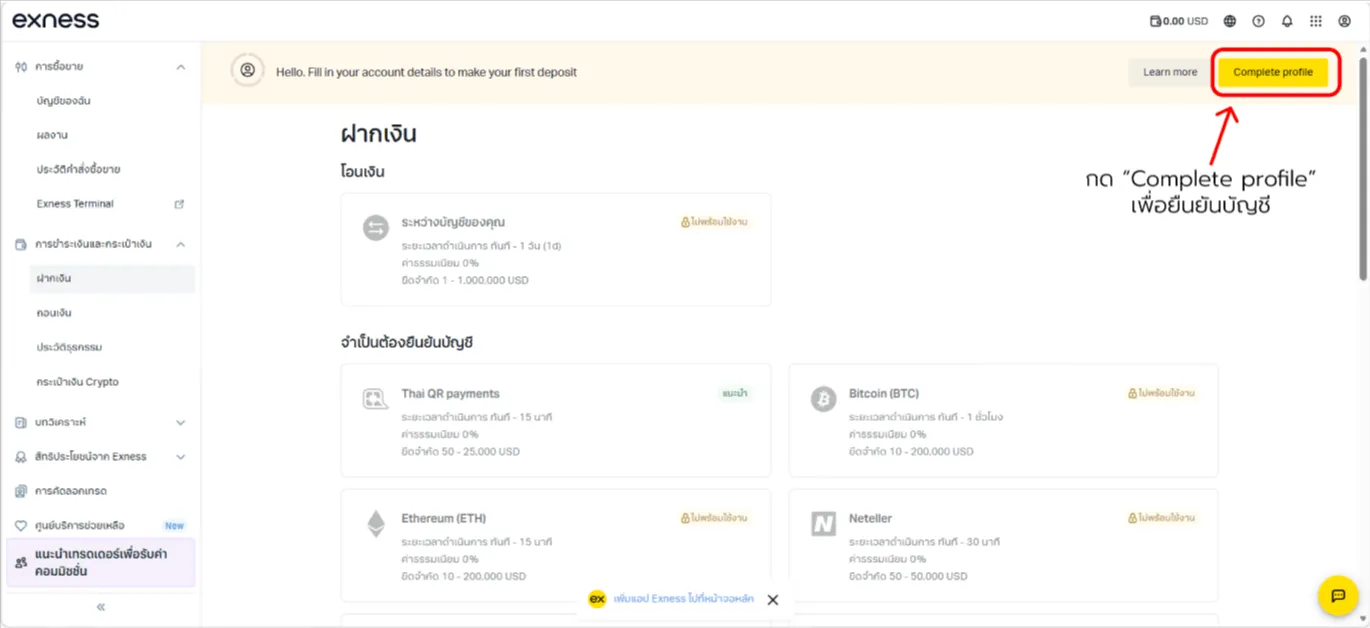
4. Complete profile area for verification

On your dashboard you’ll see Deposit, but deposits stay blocked until you tap the yellow “Complete Profile” button in the top-right to verify first.
Exness open account — screenshot 4

Scroll to see all details

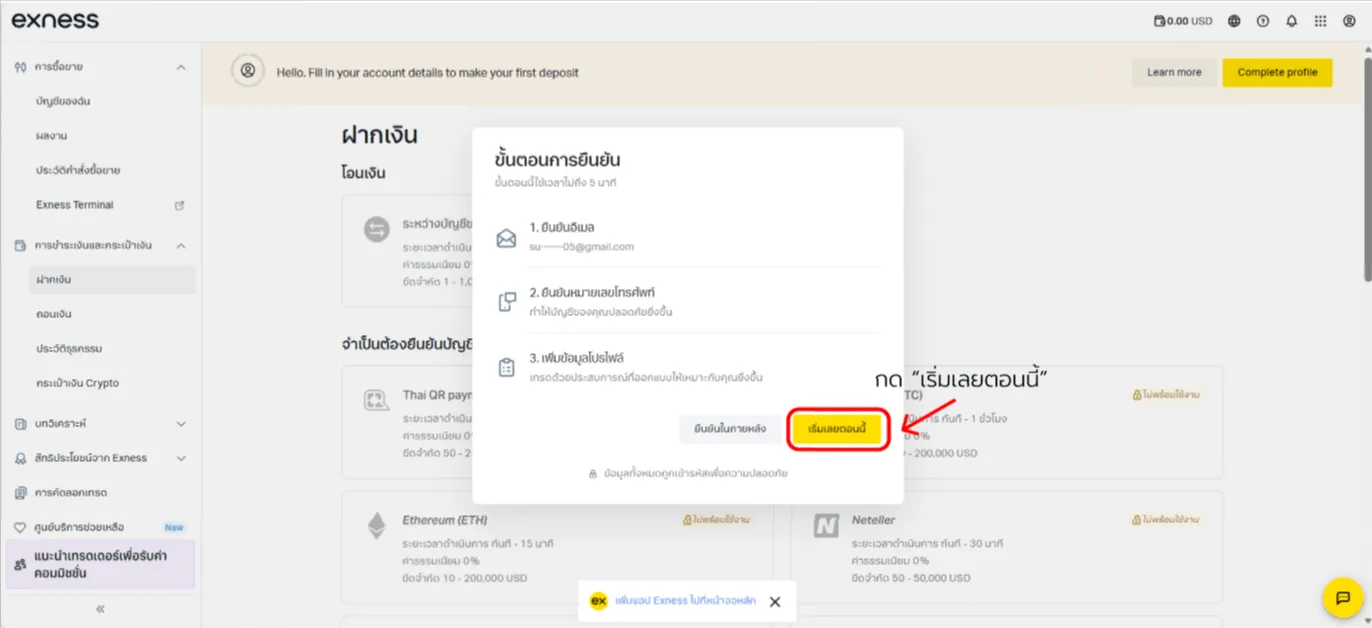
5. Complete the checklist

You must complete three items:
1. Confirm email
2. Confirm phone
3. Add profile info
Tap “Start now”.
Exness open account — screenshot 5

Scroll to see all details

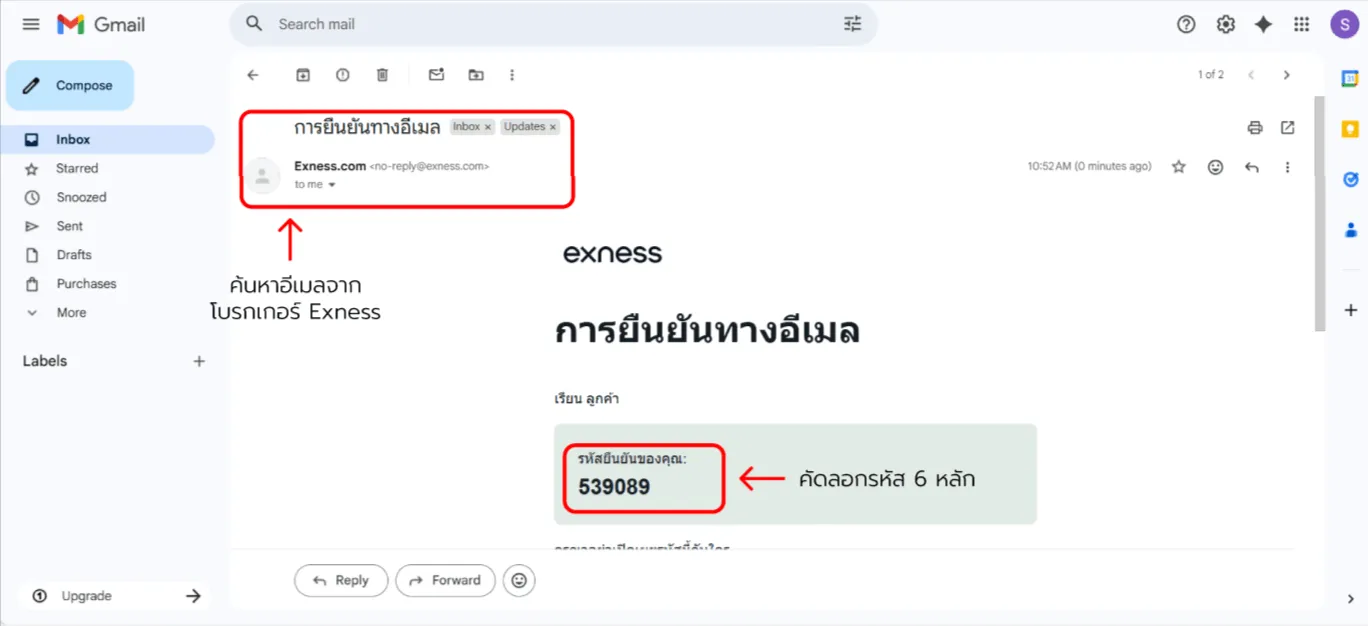
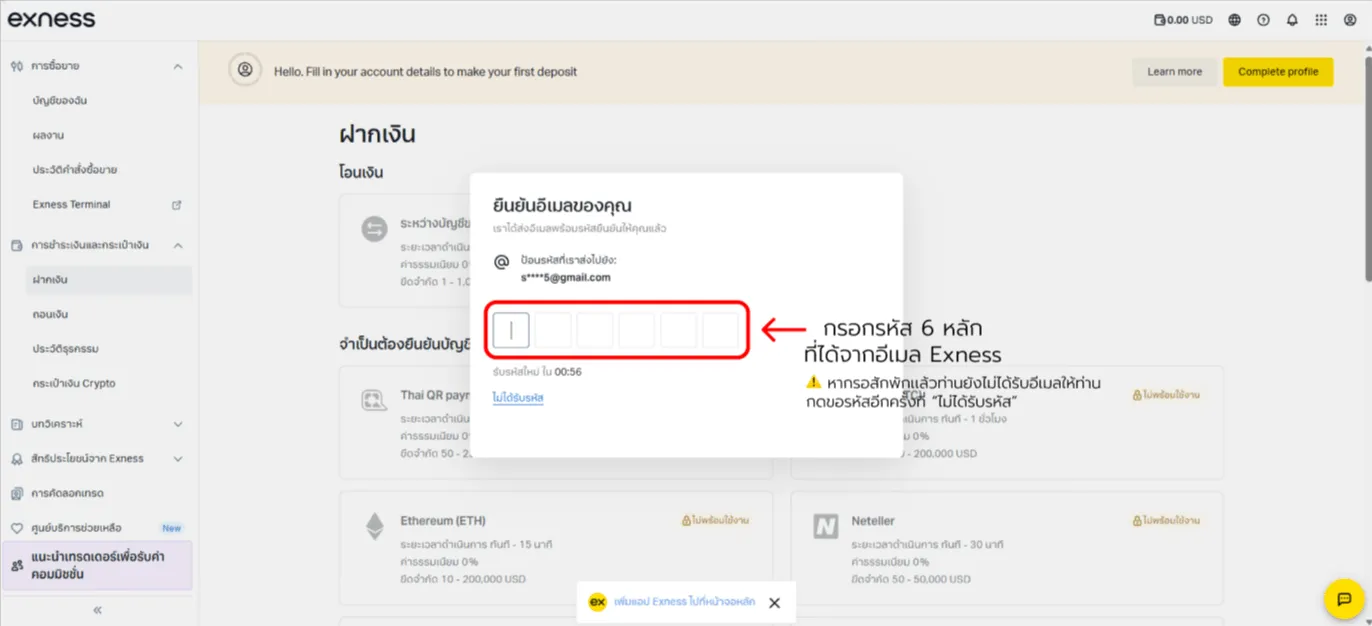
6. Confirm your email

A 6-digit code is emailed—open the message and enter the code.
Exness open account — screenshot 6Exness open account — screenshot 7

Scroll to see all details

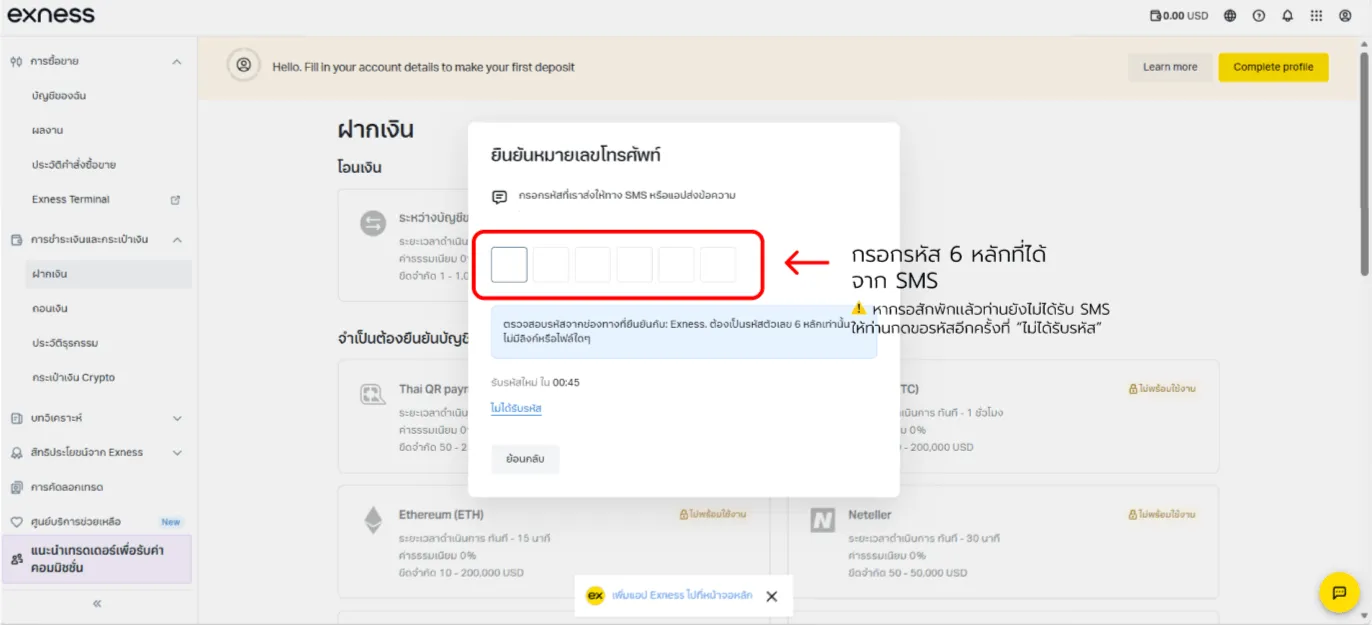
7. Confirm your mobile number

Enter your mobile number for an OTP by SMS; after entering it, proceed.
Exness open account — screenshot 8

Scroll to see all details

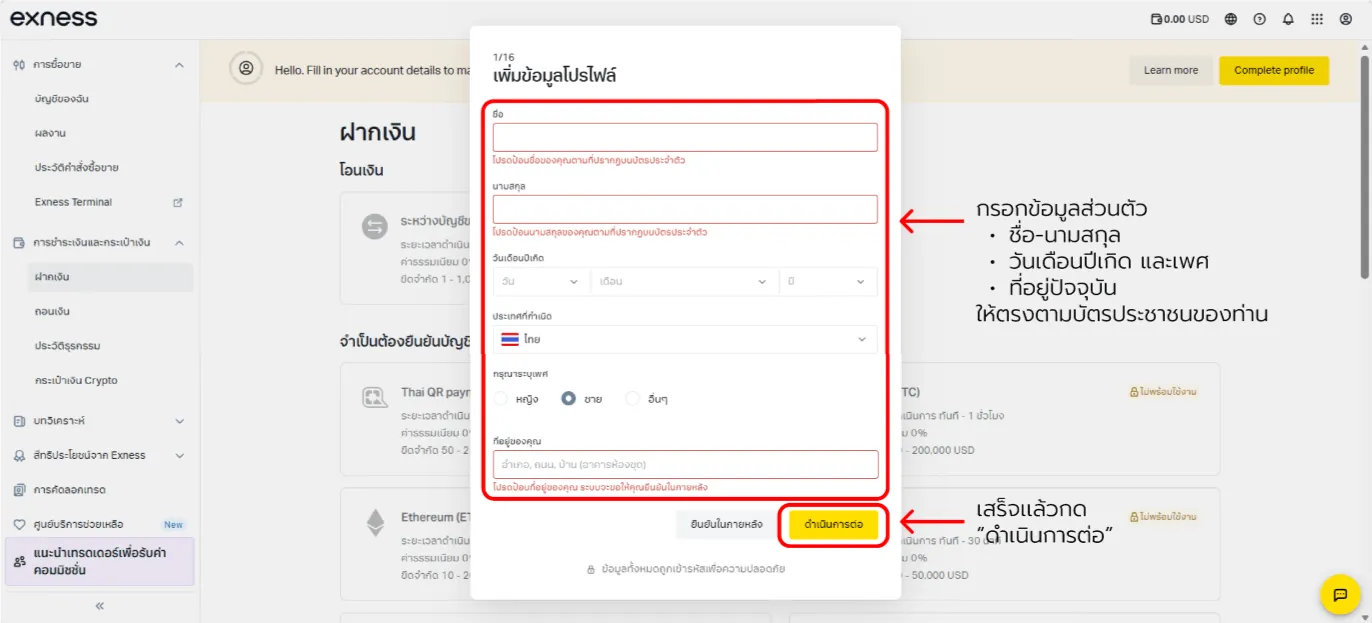
8. Add personal profile info

Enter details matching your national ID:
Exness open account — screenshot 9

Scroll to see all details

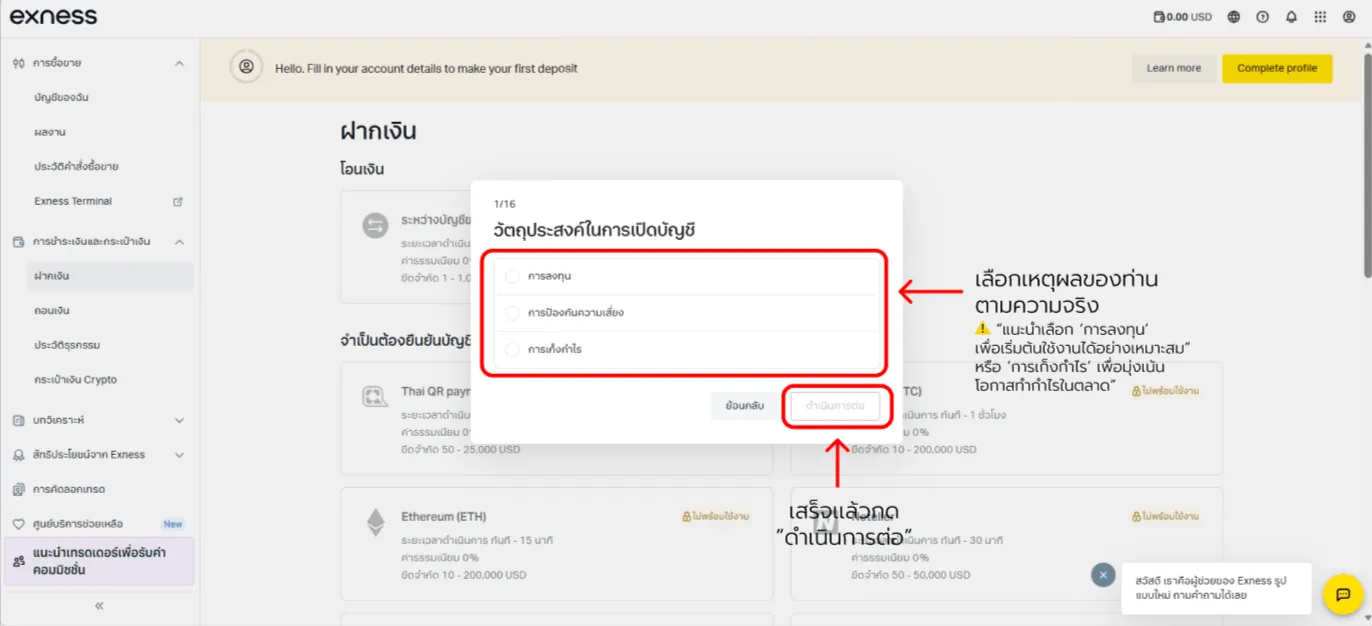
9. Suitability questionnaire

Pick your reason such as speculative trading or investment,
then answer roughly 15 suitability questions—you can answer truthfully:
Exness open account — screenshot 10

Scroll to see all details

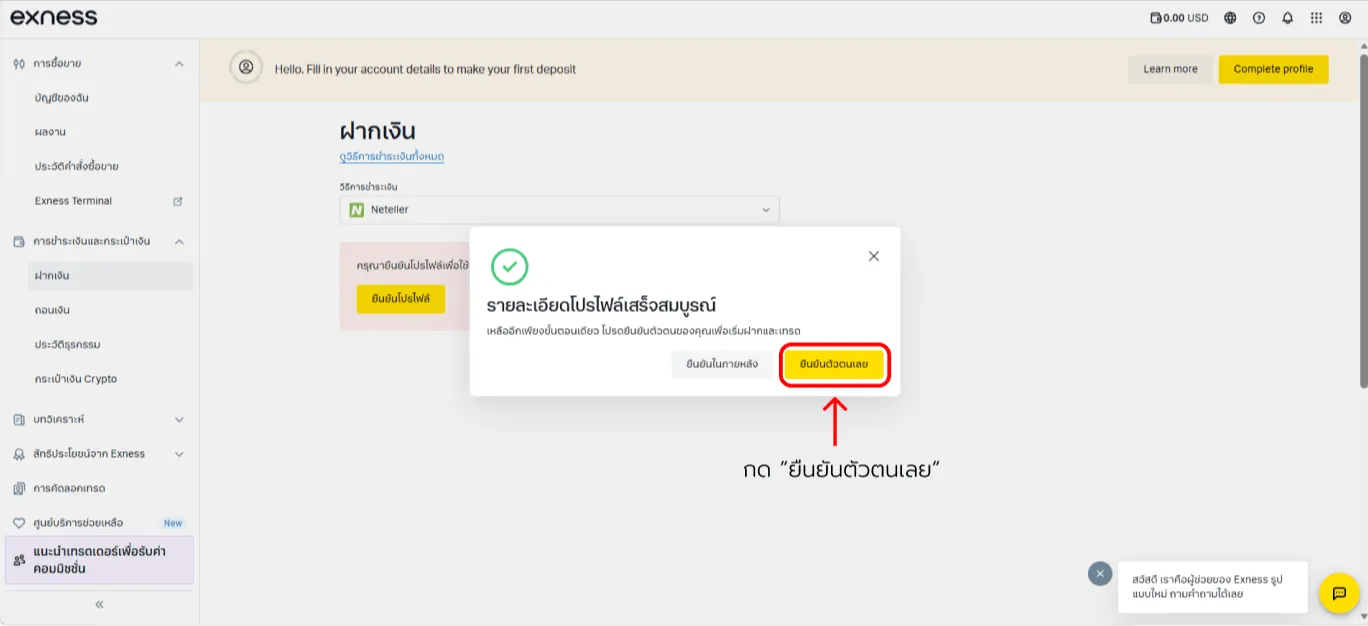
10. Final profile confirmation

After answering, profile details are complete.
To deposit and trade, find “Verify now” and upload your ID images.
Exness open account — screenshot 11

Scroll to see all details

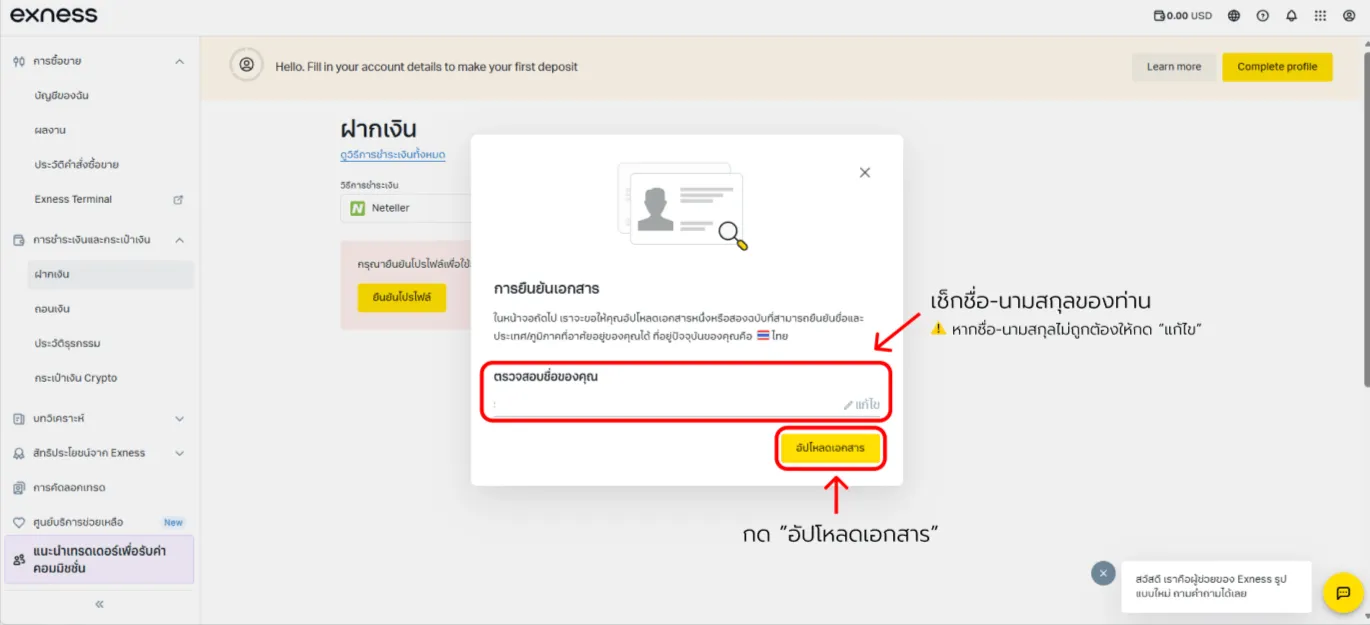
11. Check your printed name

A dialog lets you verify your name spelling again.
If correct, tap the yellow button to upload documents.
Exness open account — screenshot 12

Scroll to see all details

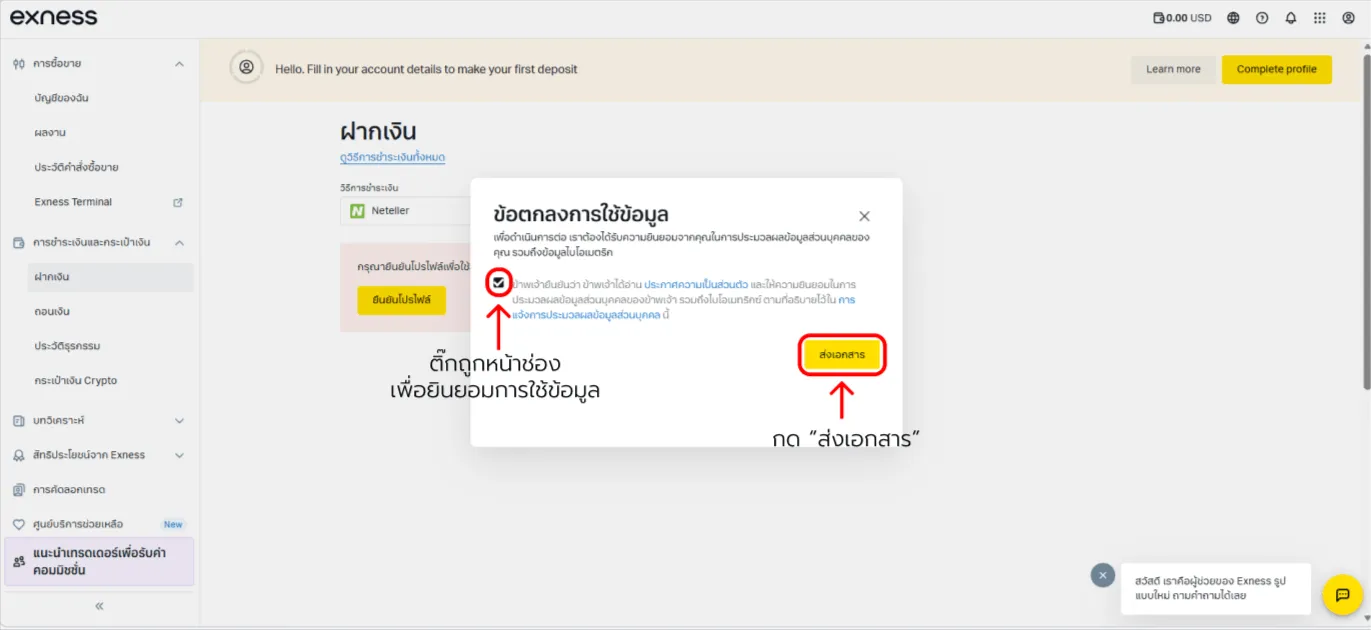
12. Accept the privacy acknowledgement

Tick “I hereby declare…” to allow verification checks,
then tap the yellow “Submit documents”.
Exness open account — screenshot 13

Scroll to see all details

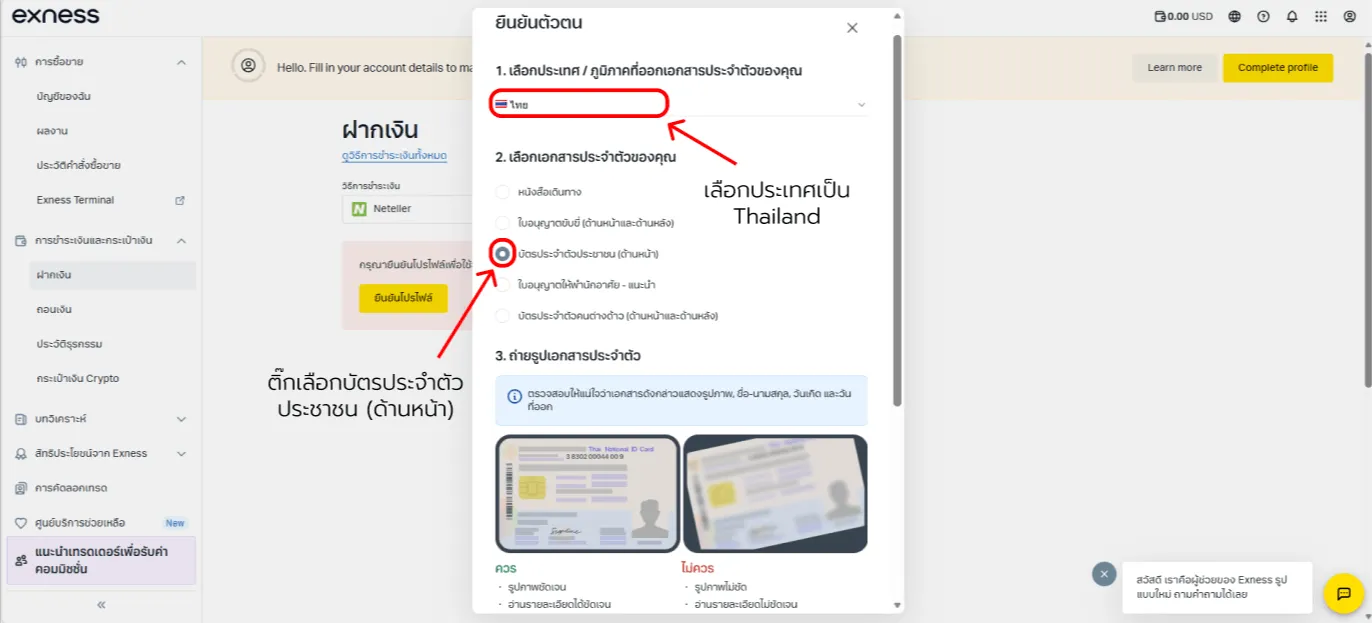
13. Pick your document type

Select Thailand if applicable and choose the easiest document type—“National ID card (front)”:
  • Use a crisp front-only photo covering all corners, no glare.
  • Upload your file to the portal.
Exness open account — screenshot 14

Scroll to see all details

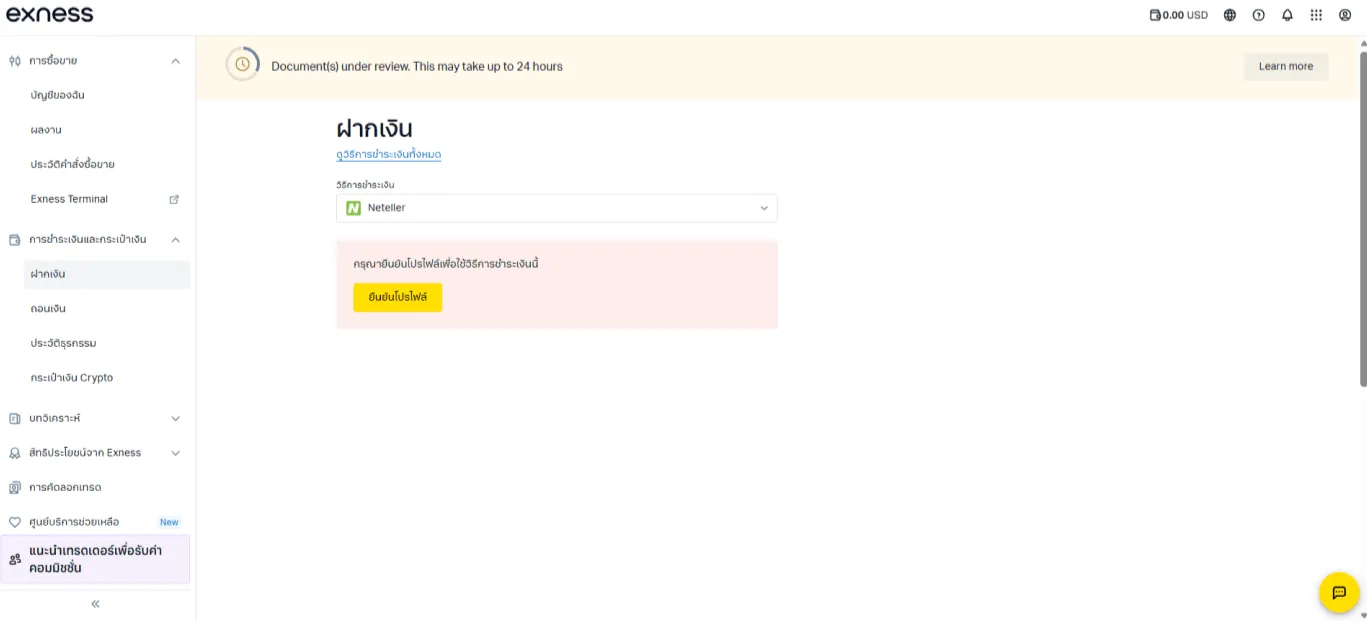
14. Wait for approval

After submission your case is under review. When status reads “Verified”,
deposits and withdrawals become unlimited.
Exness open account — screenshot 15

Scroll to see all details

That’s all—opening a fresh Exness account for ForexRefund rebate benefits.
You can trade and grow returns efficiently.

FAQ: Open a new Exness account

Key questions about opening a new Exness account.

What steps open a new Exness account?

Answer: Register online with email/password, finish personal details plus ID uploads, choose account type/platform, deposit, then start trading.

Do I verify before trading?

Answer: Complete KYC to unlock deposits/withdrawals and full features per regulations.

How should I choose account/platform?

Answer: Match your style—Standard stays simple while MT5 offers broader tools.

Does opening take long?

Answer: Signup finishes in minutes while review time depends on document quality.

Can I trade immediately after opening?

Answer: After live account activation and deposit, credentials arrive via email for MT4/MT5.

News

Stay updated to increase Net Rebate and news