1. Start registration

First, open the website using this link: https://affs.click/fWE01
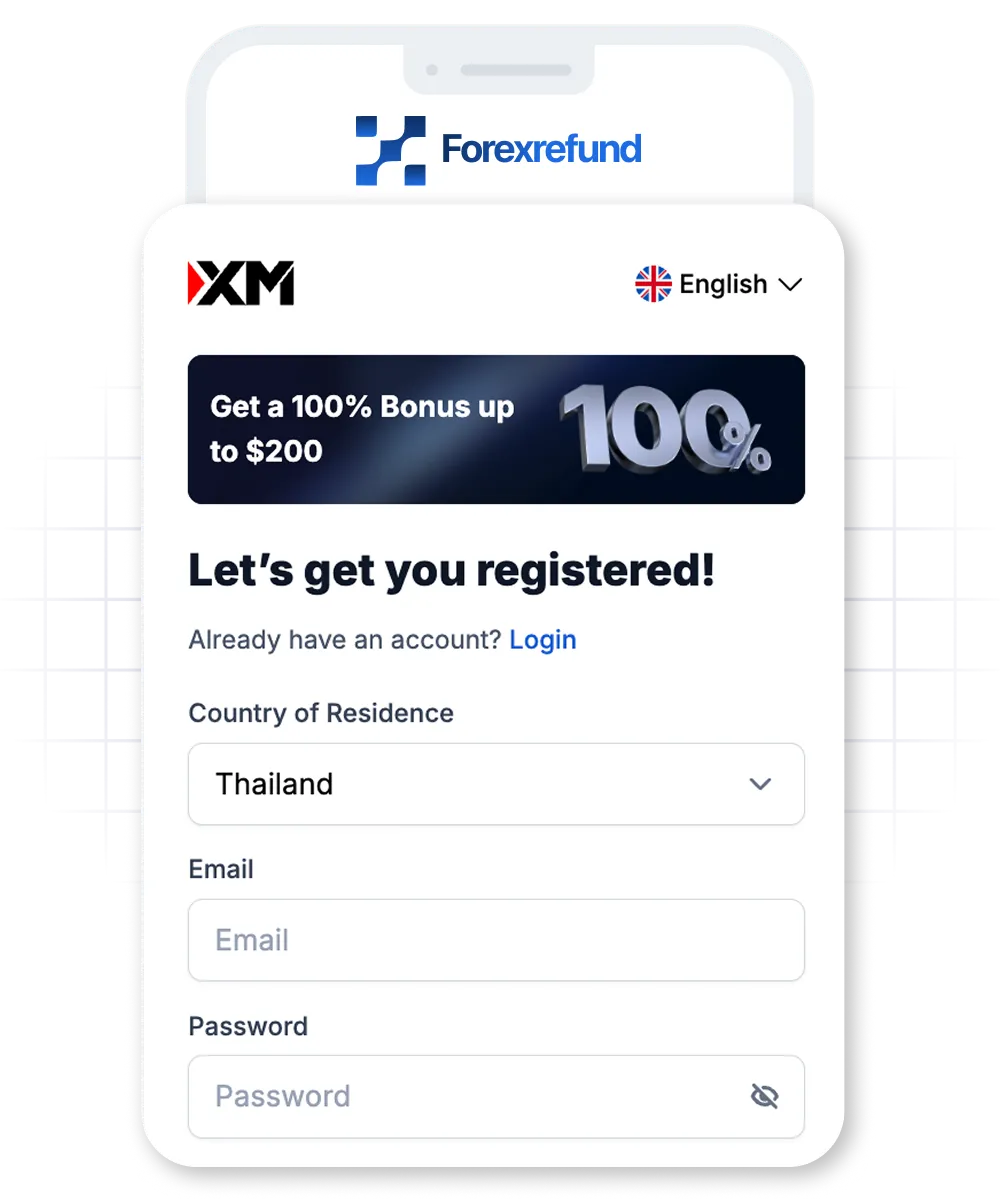
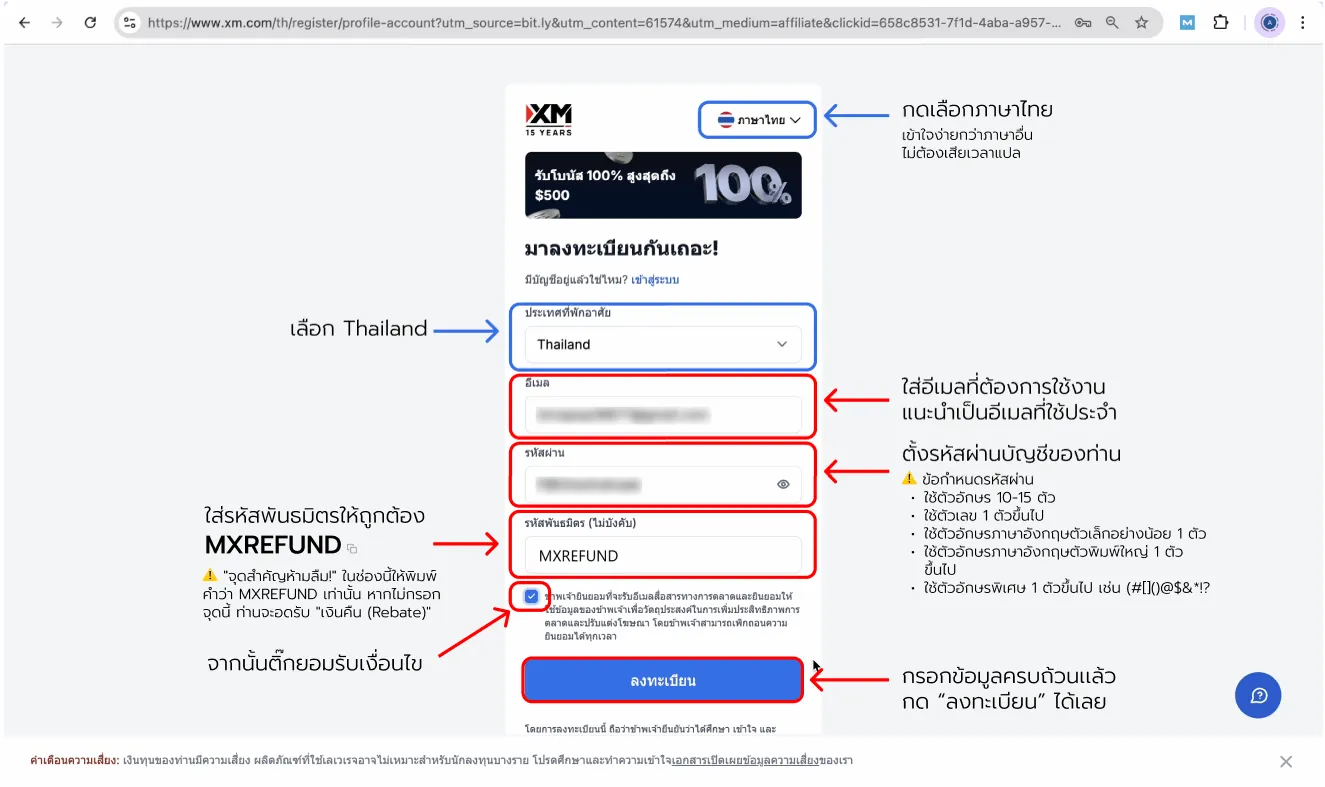
On the sign-up page, fill in the fields as shown.

Affiliate code: MXREFUND
"Don't forget the affiliate code!" Enter it in the "Affiliate code" field — without it you will not receive your "rebate"
XM open account — screenshot 1

Scroll to see all details

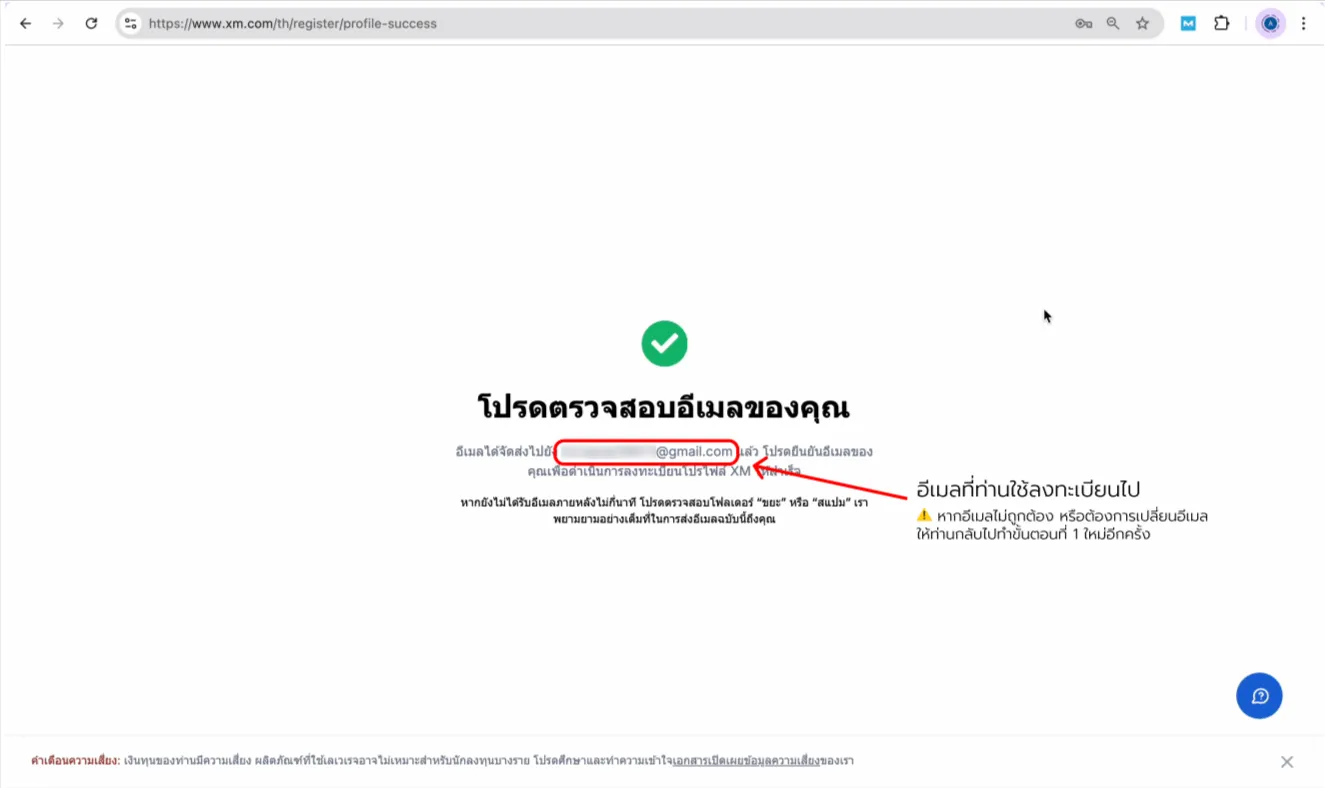
2. Confirm your email

After registering, the system emails you right away.
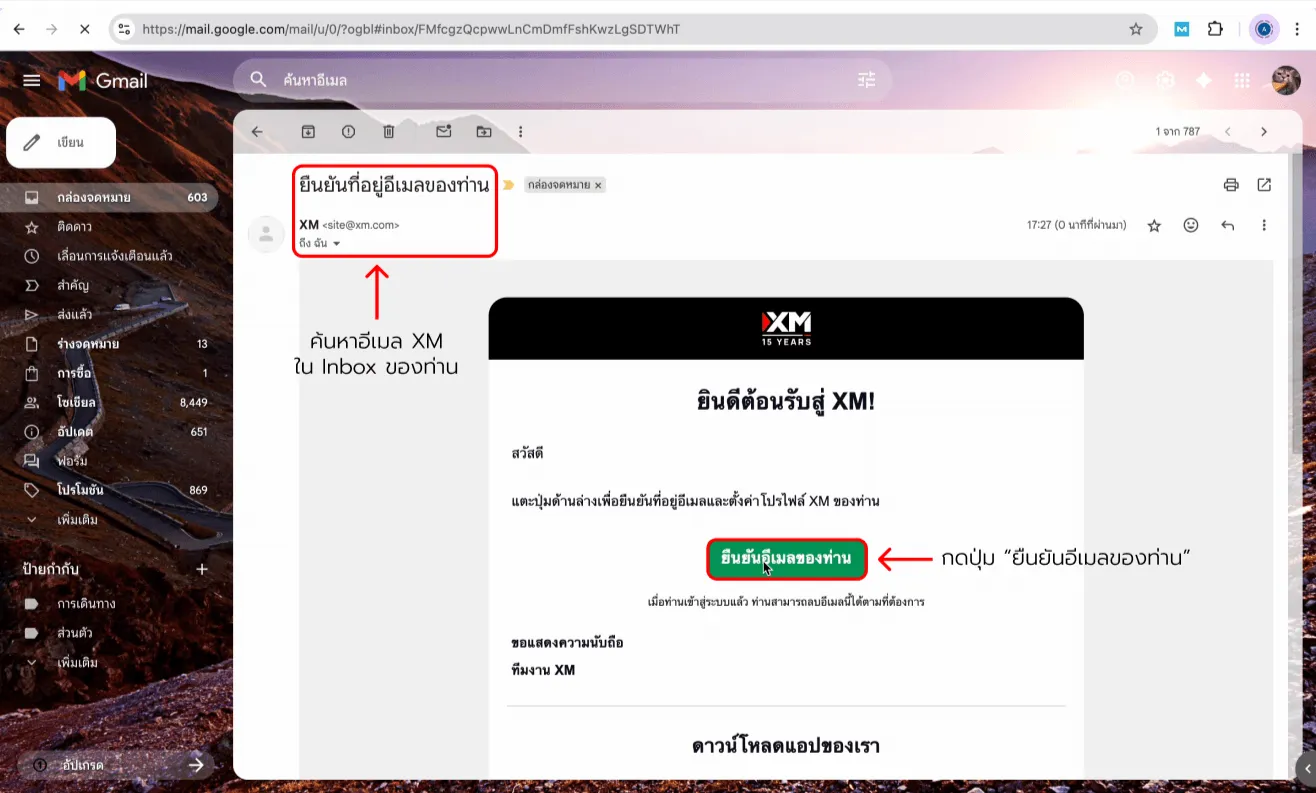
Go to your Inbox and look for “Confirm your email”.
Once confirmed, your account is ready for the next stage.
XM open account — screenshot 2XM open account — screenshot 3

Scroll to see all details

3. First login

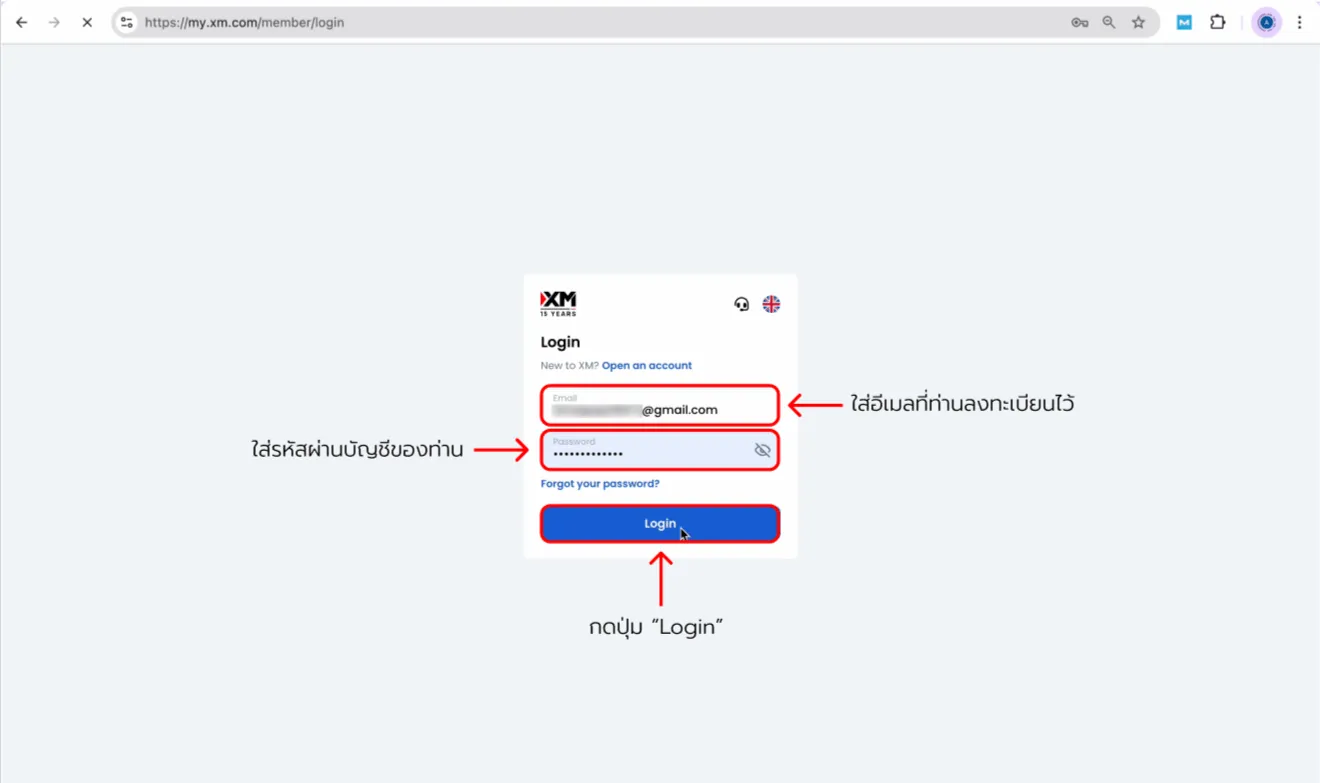
Return to the XM home page and log in with your email and password.
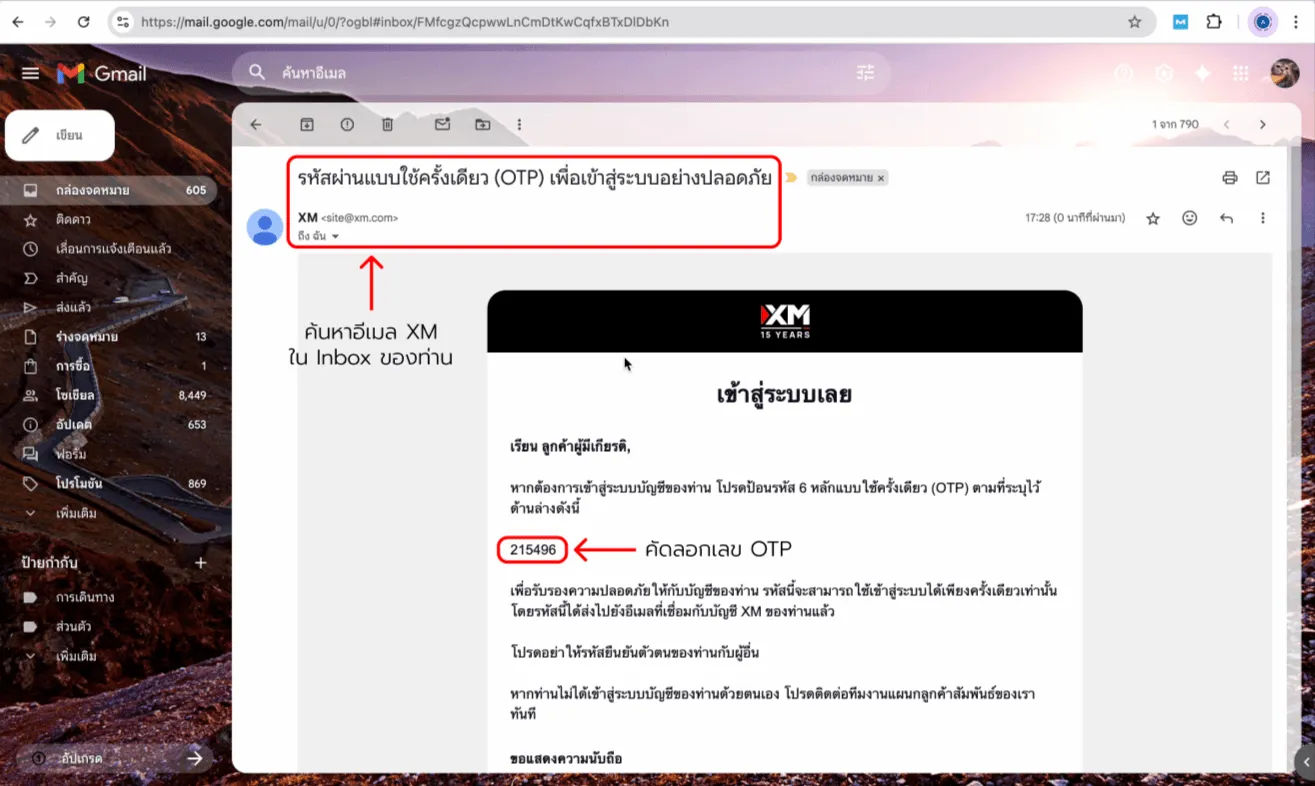
Security may ask for an OTP.
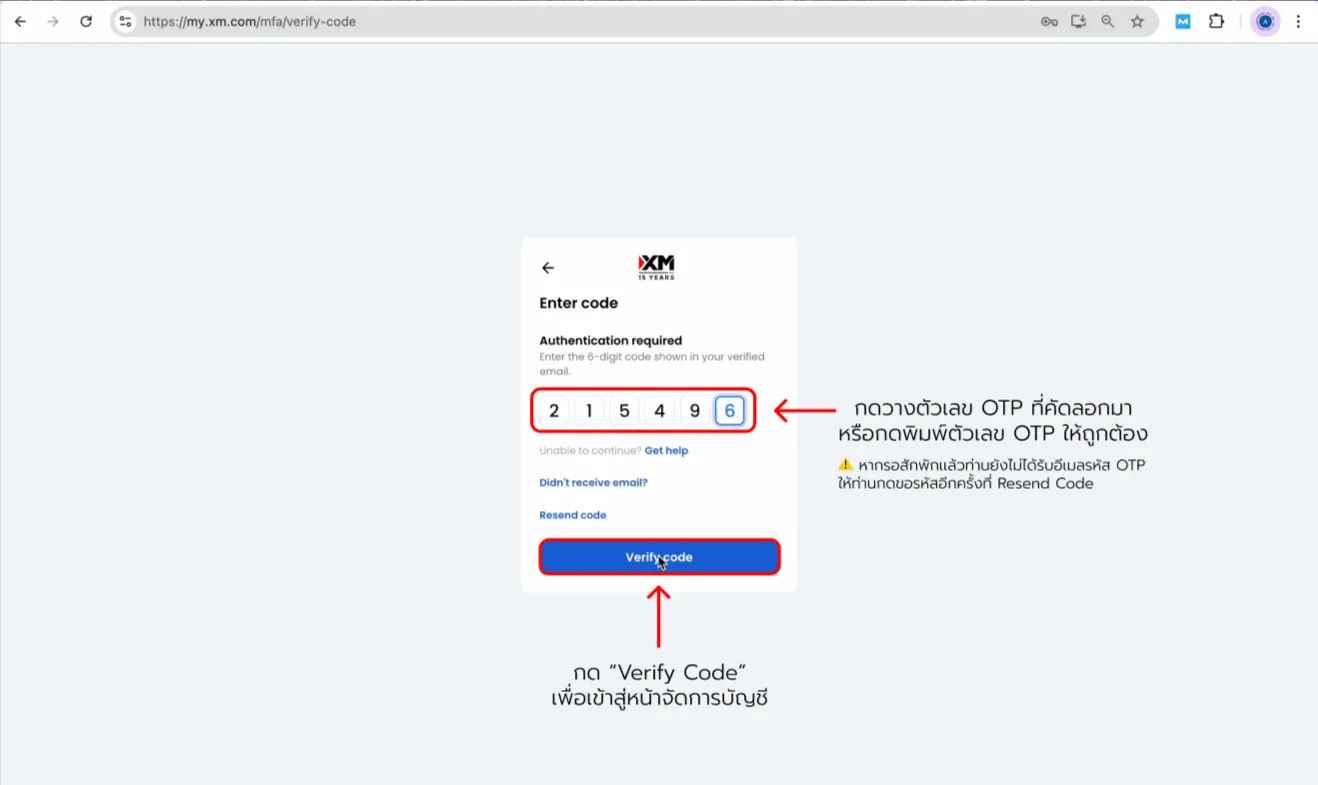
It is sent to your email again — copy the code, paste it into the field,
then tap “Verify Code” to open the account dashboard.
XM open account — screenshot 4XM open account — screenshot 5XM open account — screenshot 6

Scroll to see all details

4. Complete your details
(complete profile)

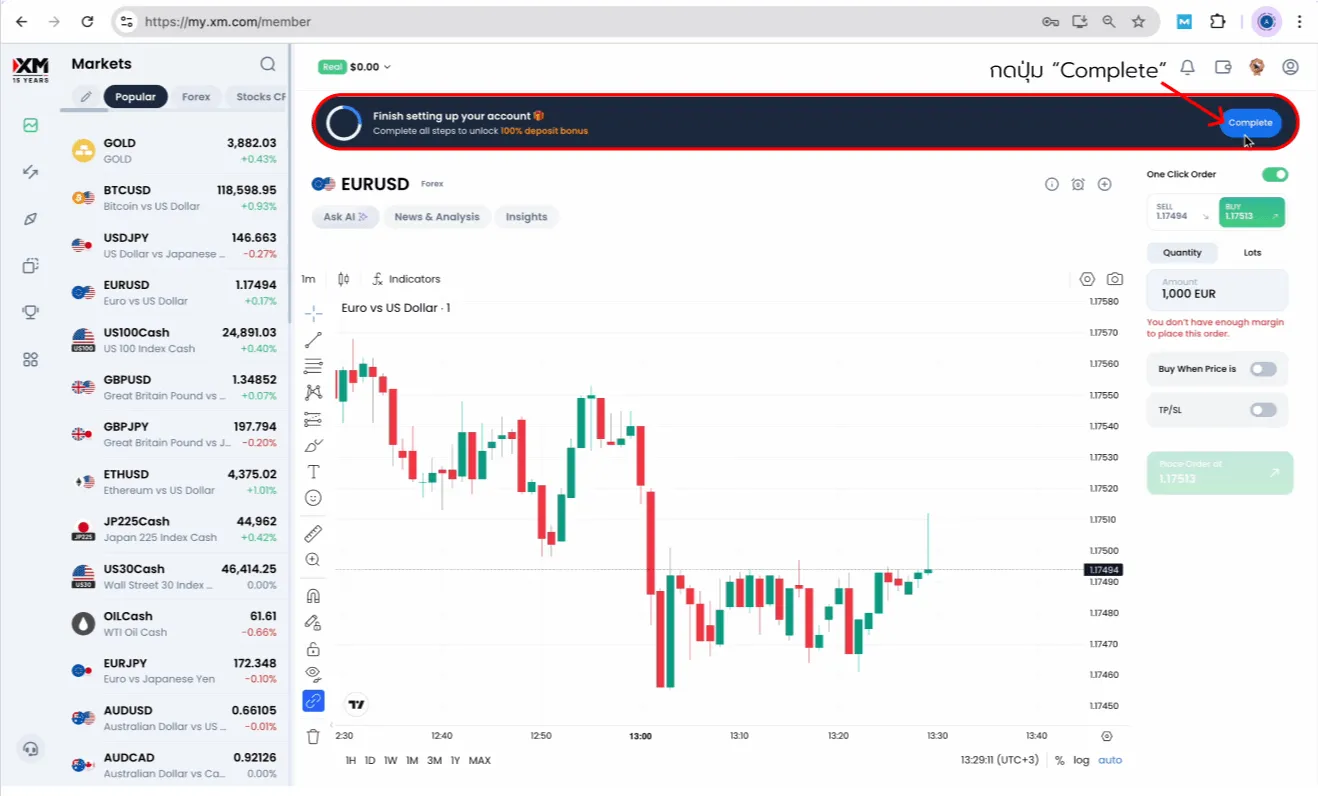
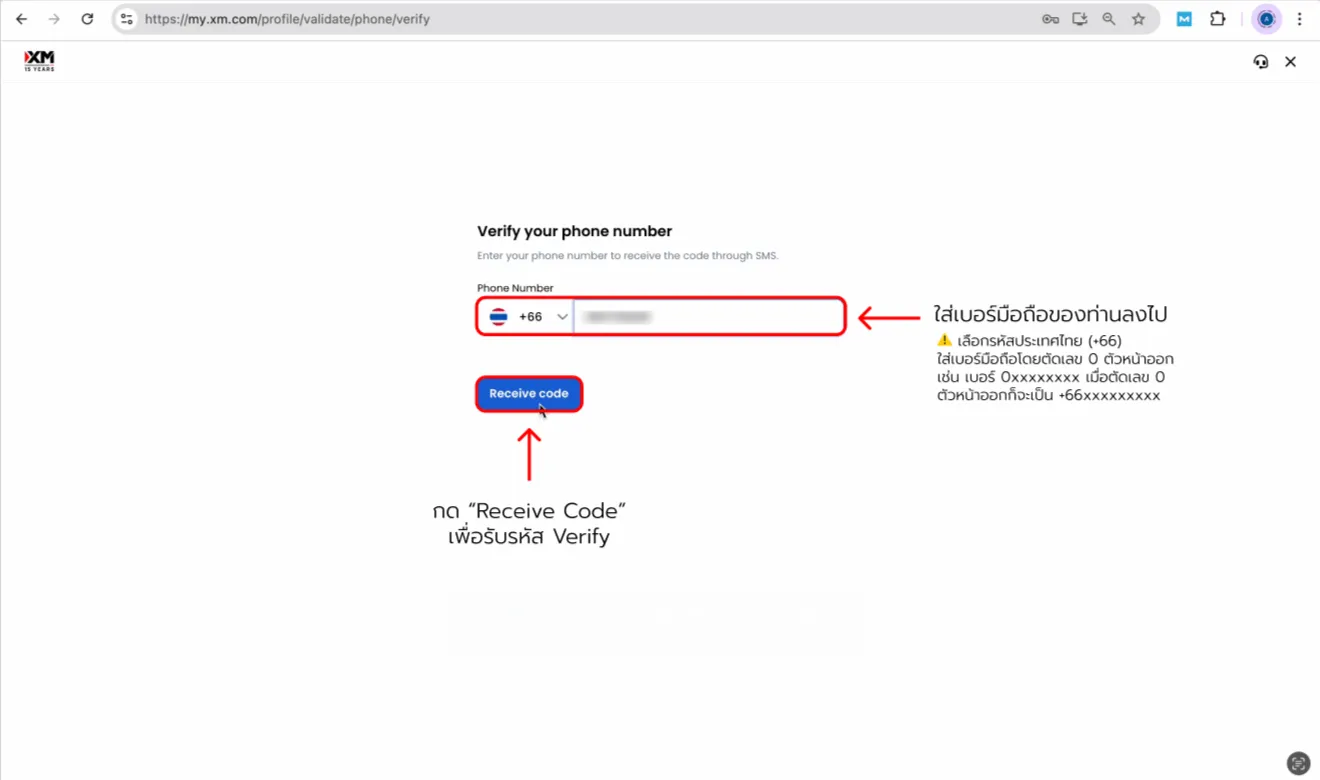
Finish identity steps by tapping “Complete”,
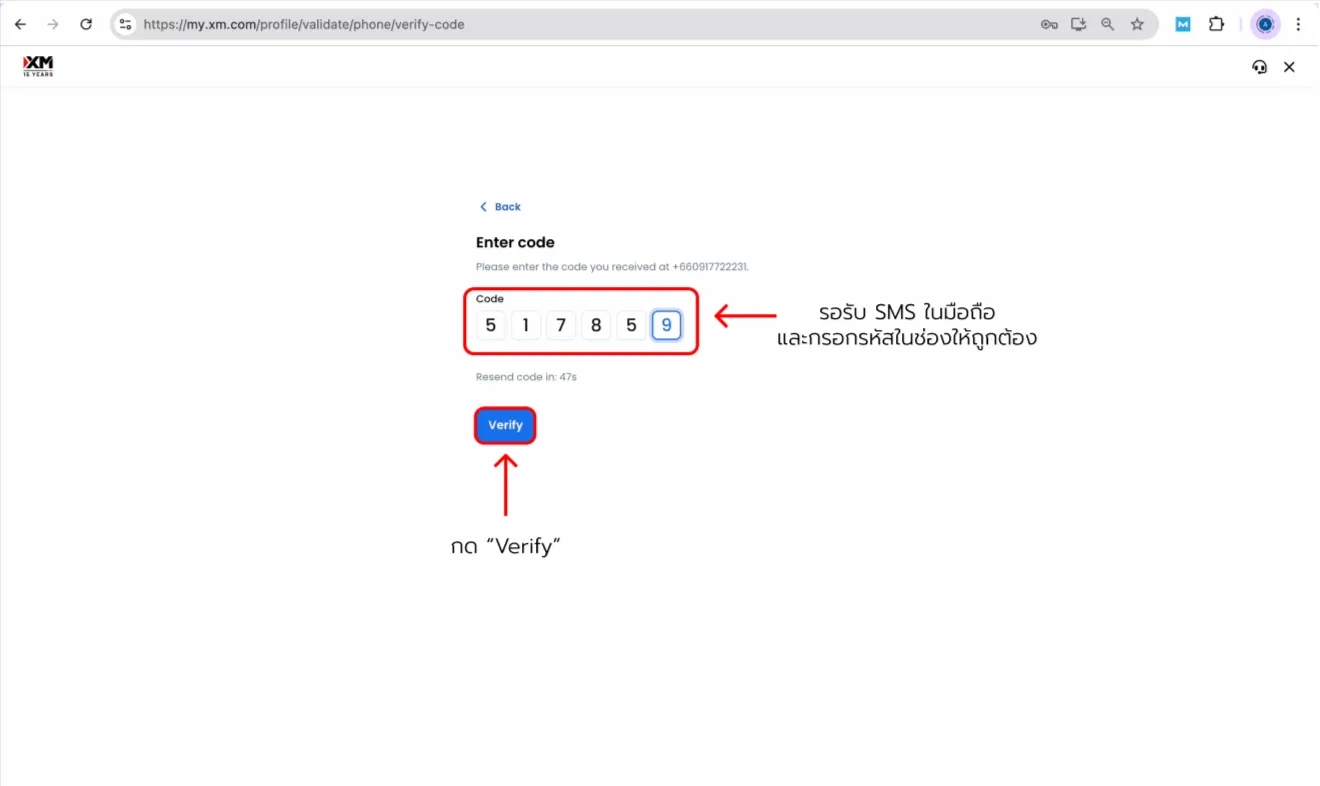
then verify your mobile number.
XM open account — screenshot 7XM open account — screenshot 8XM open account — screenshot 9

Scroll to see all details

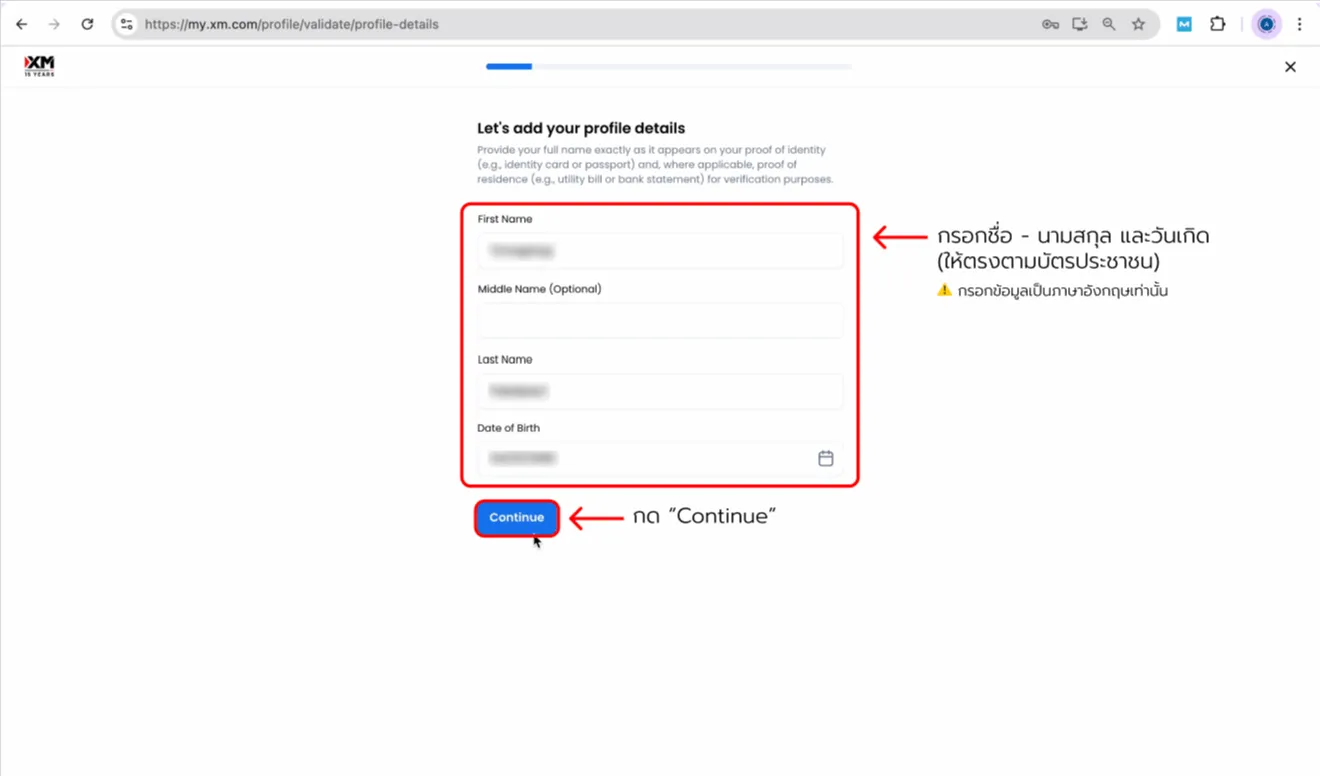
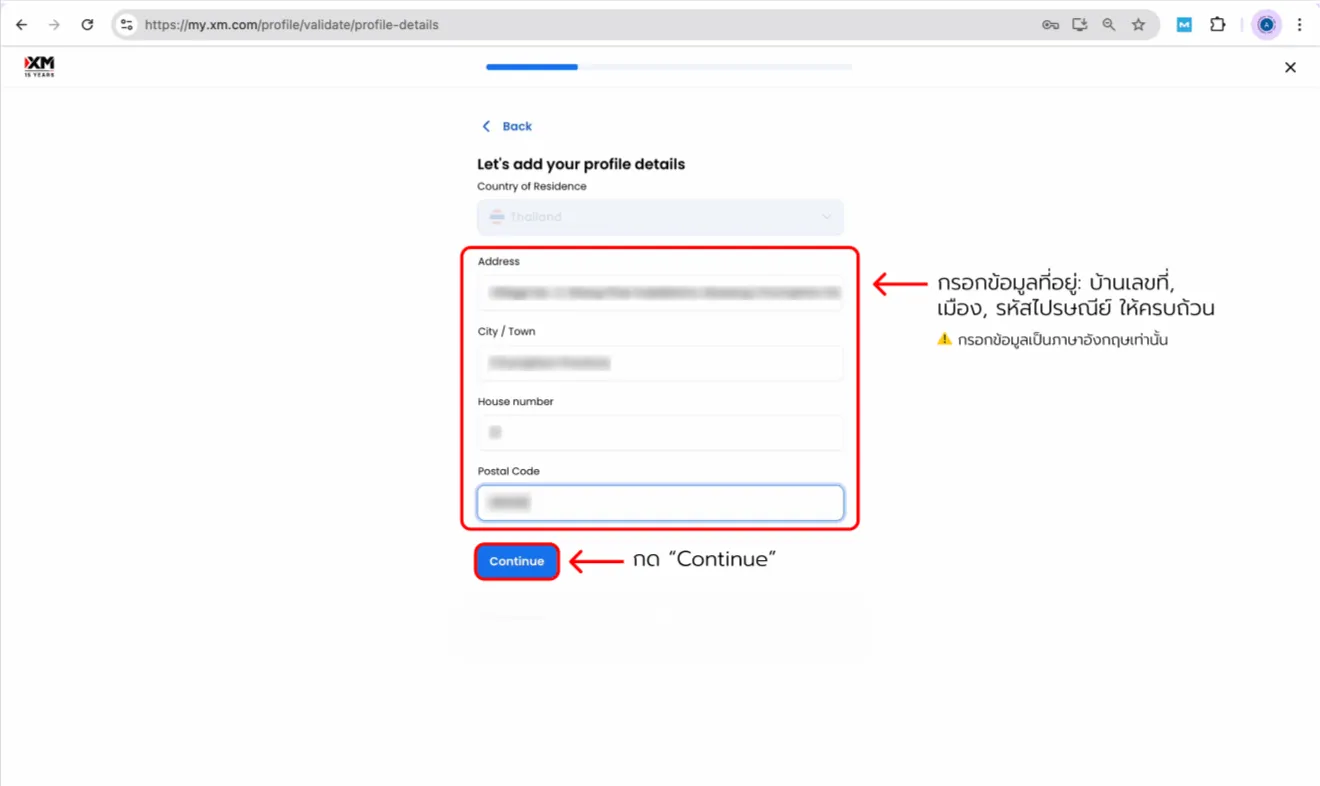
5. Profile details
(fill in English)

Enter your personal information completely and accurately.
XM open account — screenshot 10XM open account — screenshot 11

Scroll to see all details

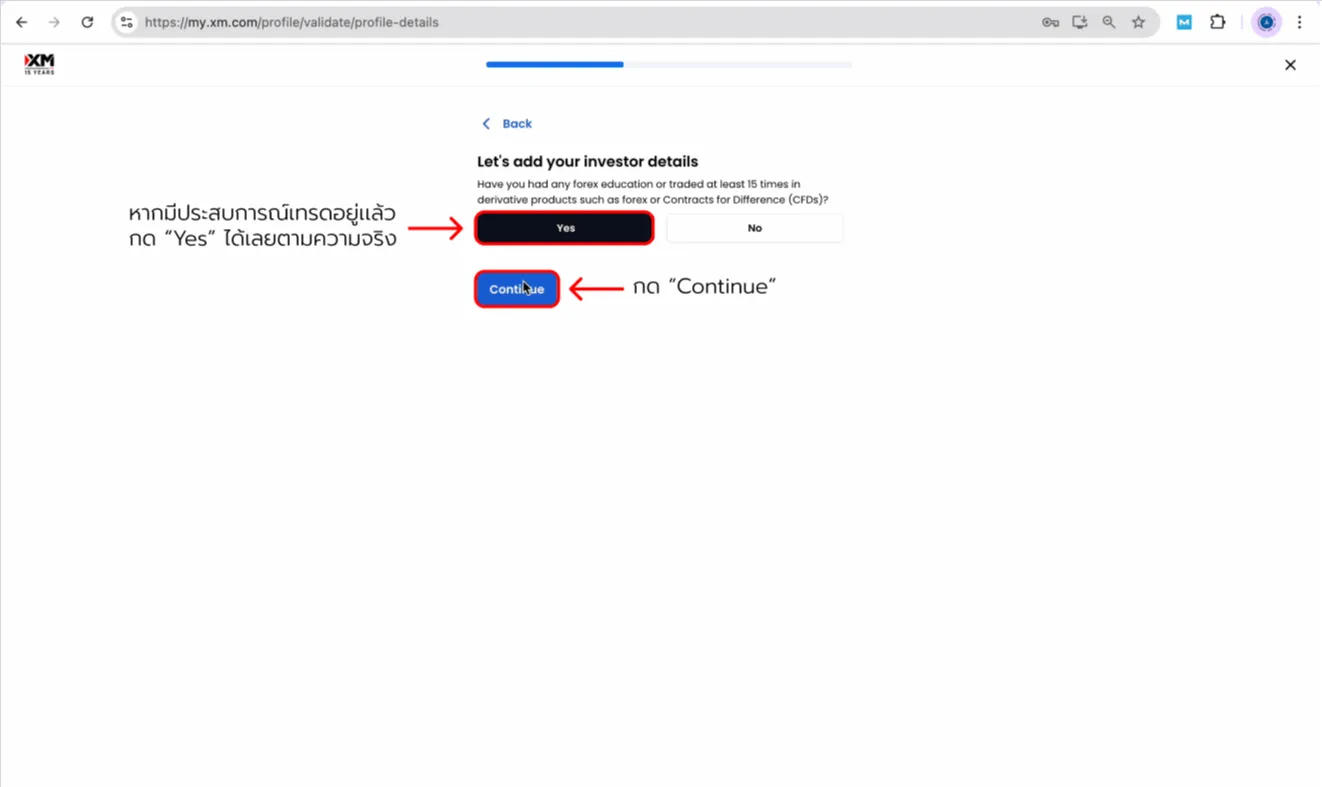
6. Trading experience check

Short questions help XM gauge your knowledge.
You may be asked whether you traded CFDs at least 15 times.
If that matches your experience, answer "Yes" truthfully and tap Continue.
Beginners will only see a few simple questions.
XM open account — screenshot 12

Scroll to see all details

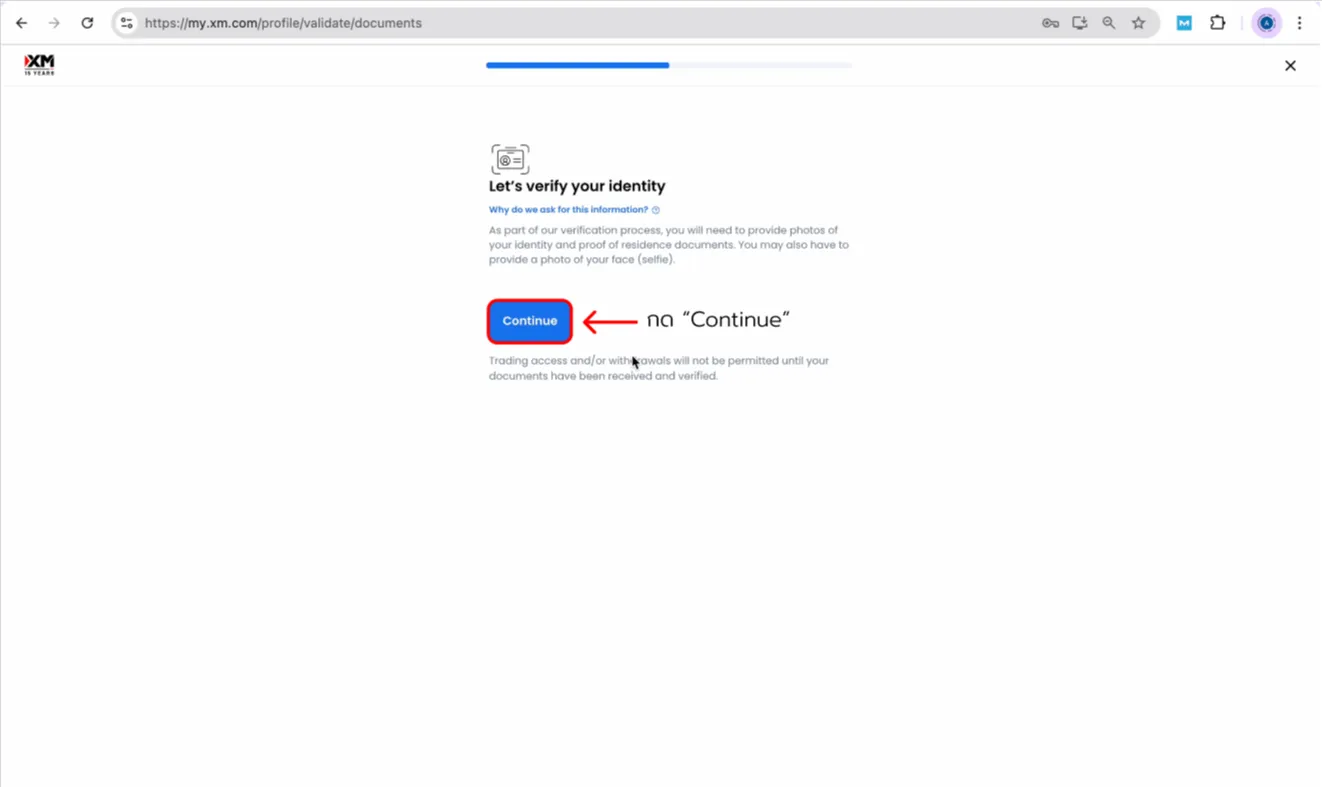
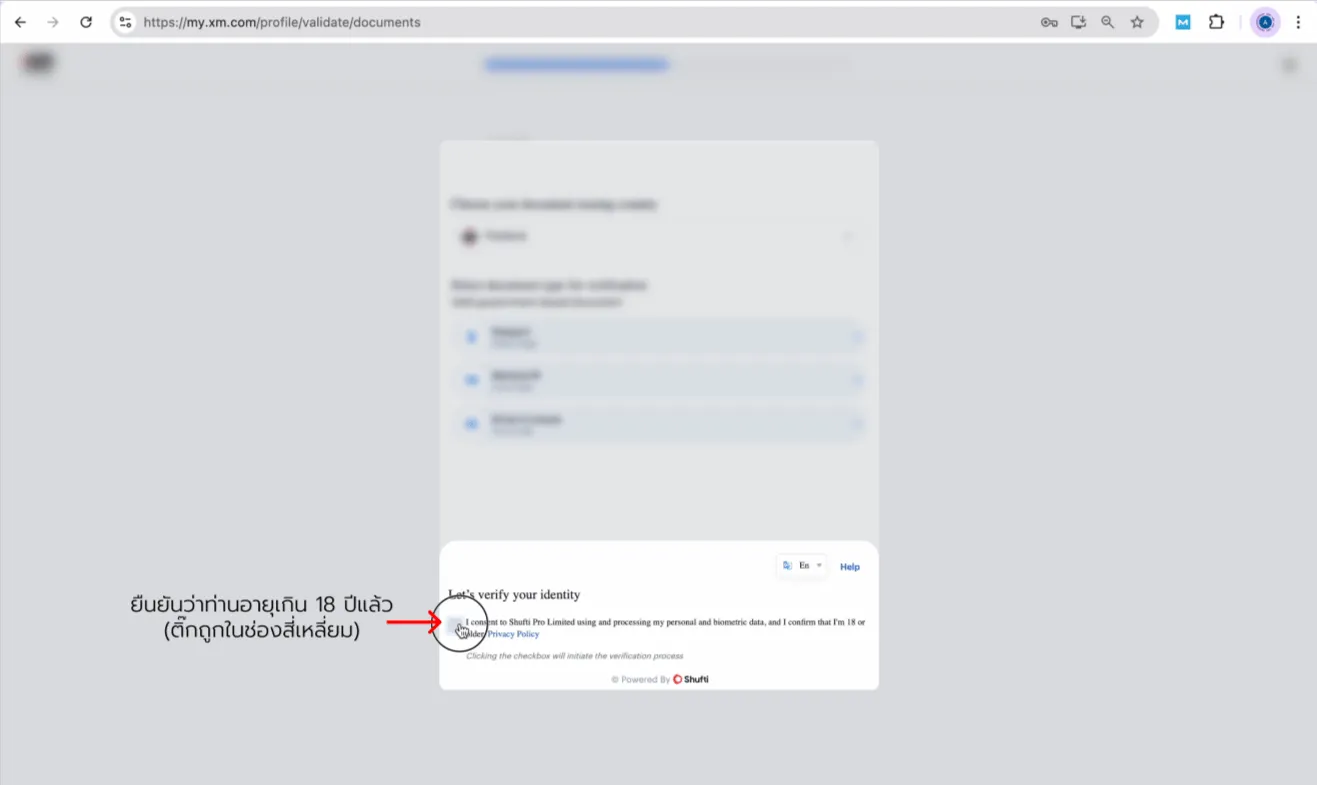
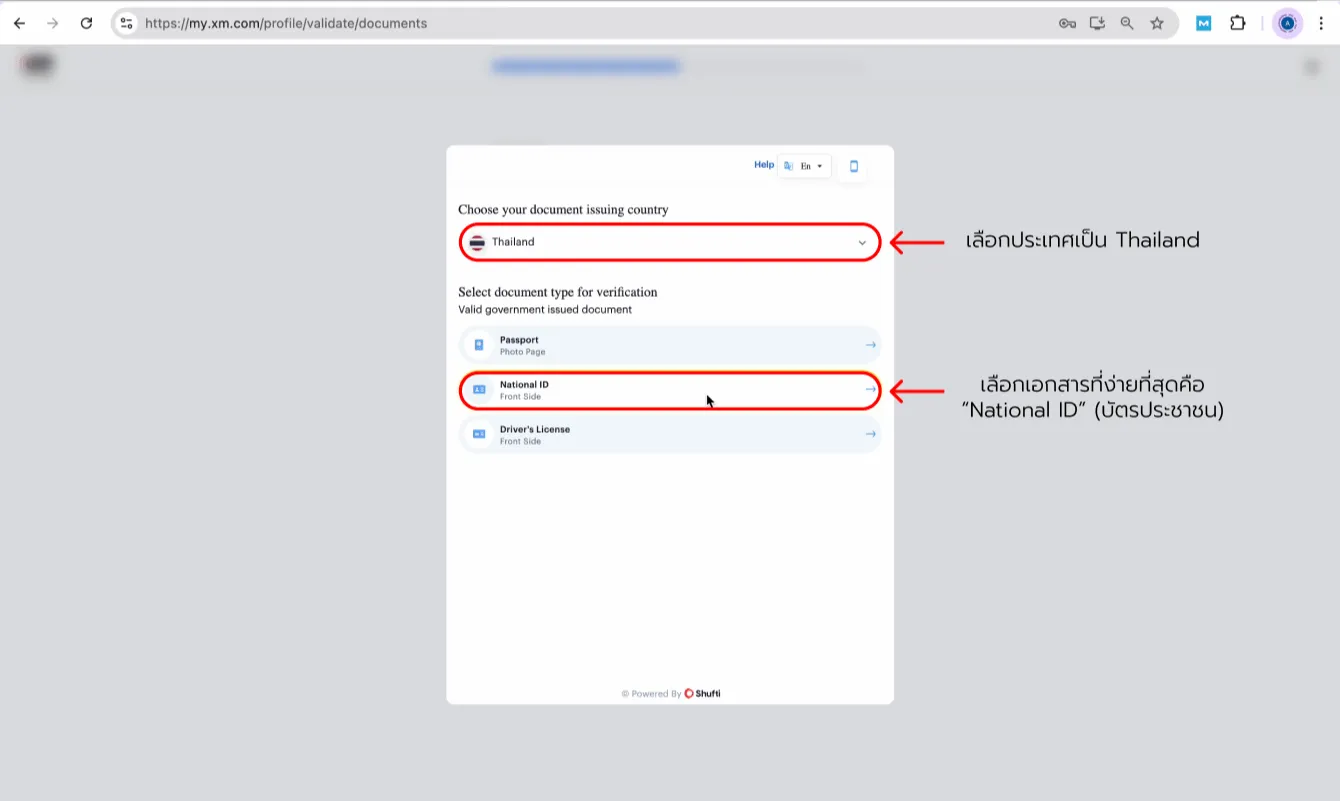
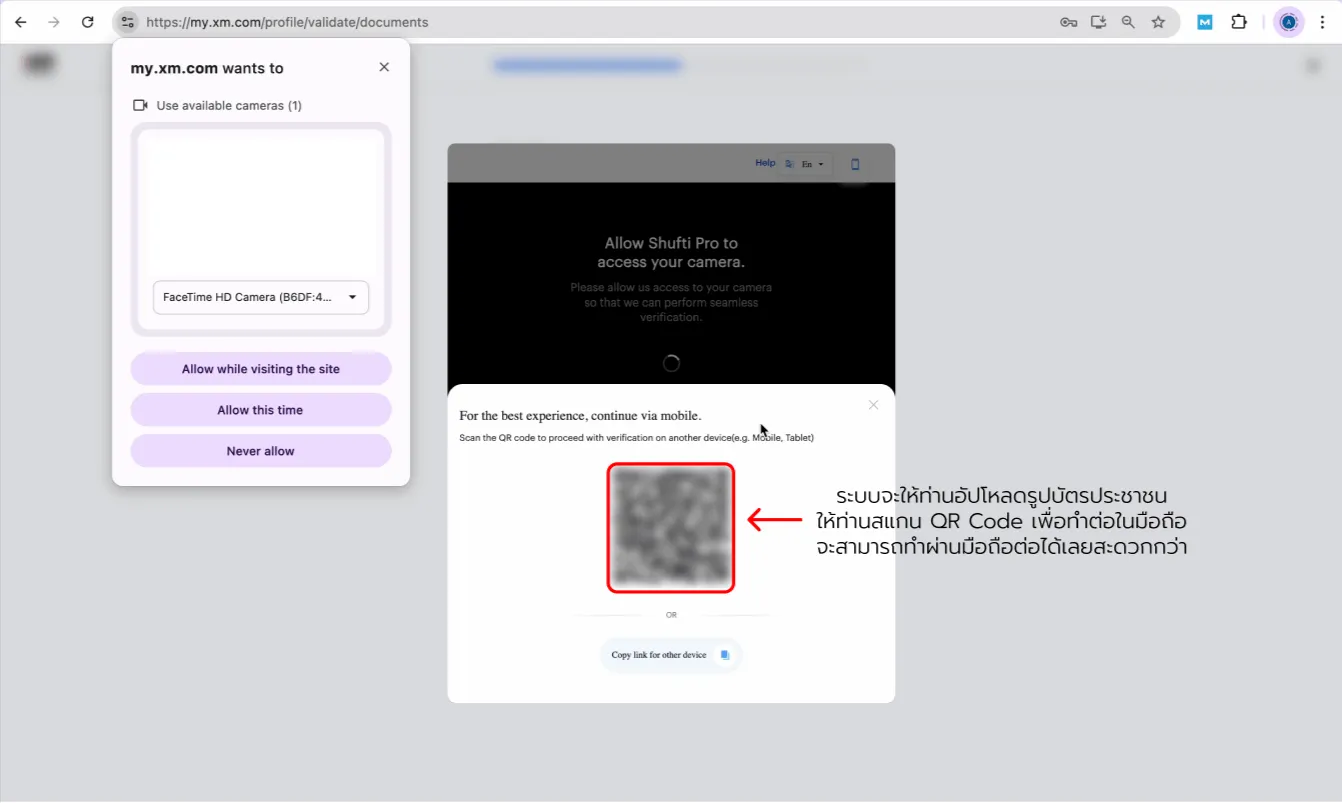
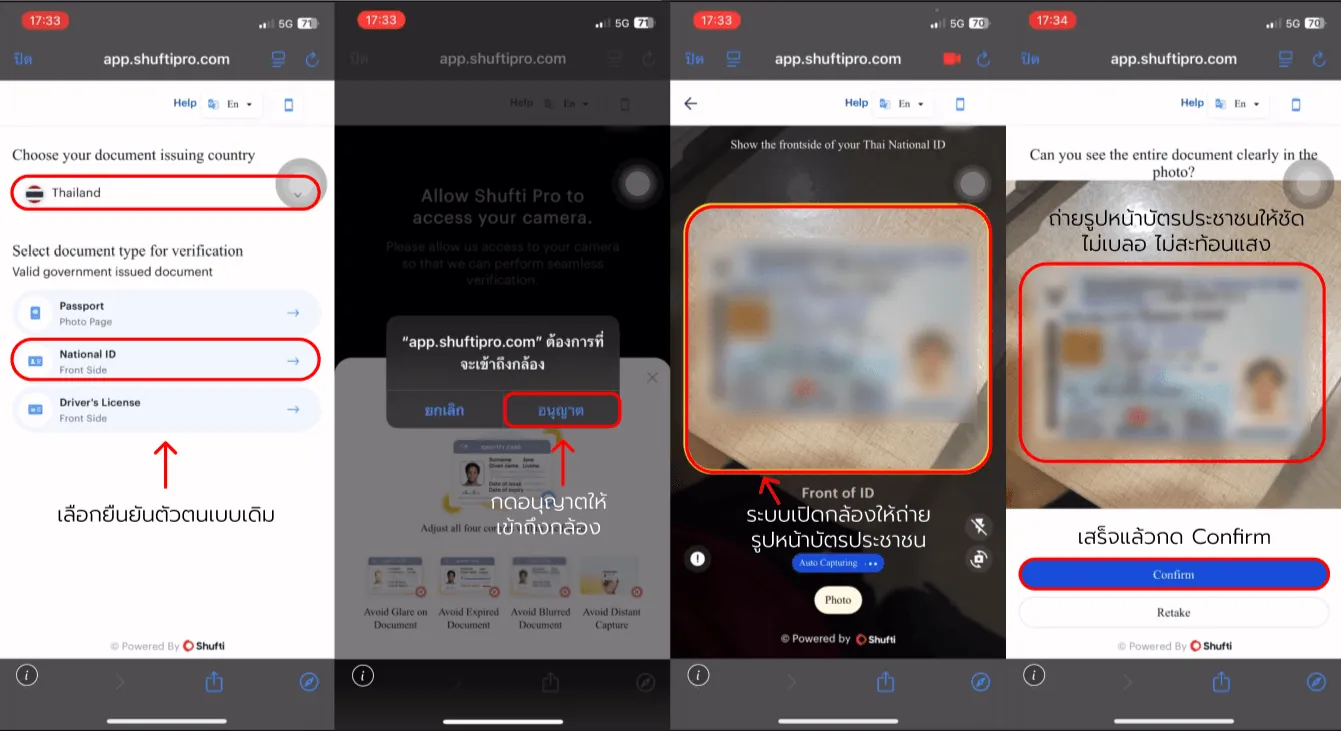
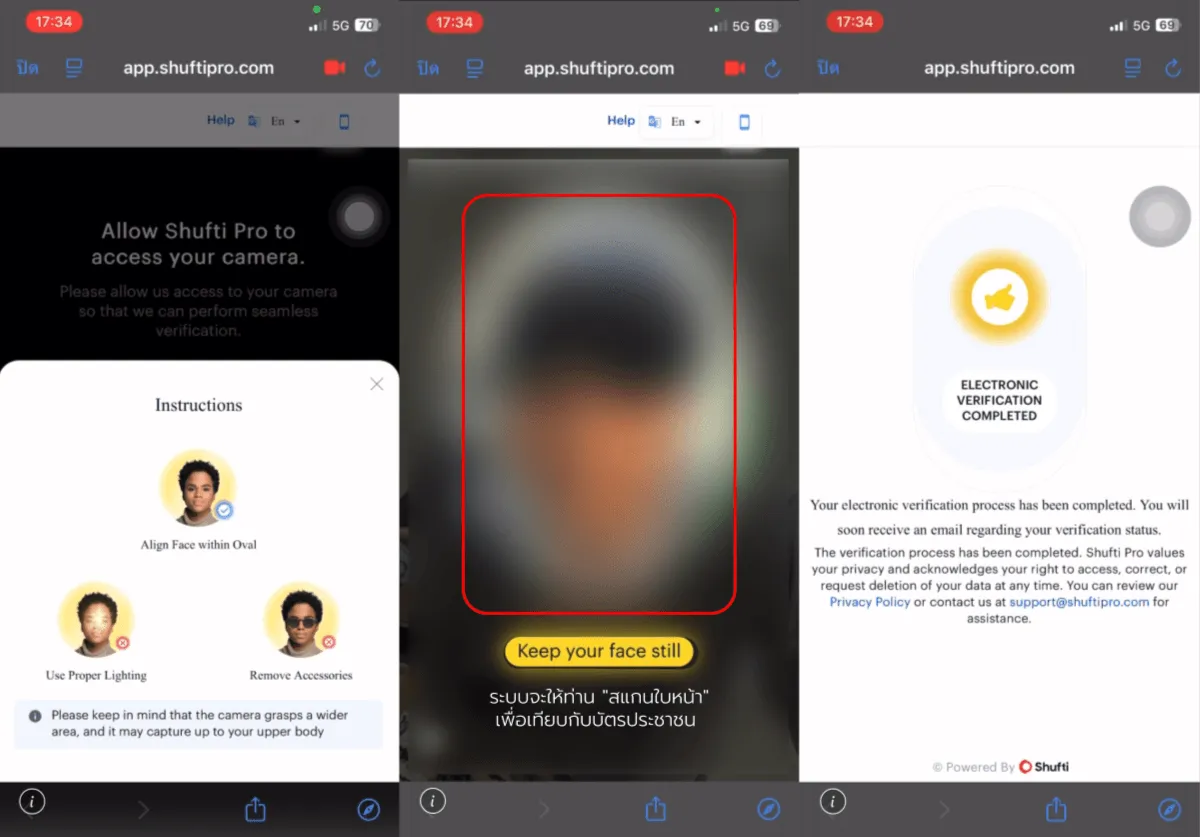
7. Identity verification (KYC)
Final step

This step confirms who you are.
Tap “Continue” to begin.
XM open account — screenshot 13XM open account — screenshot 14XM open account — screenshot 15XM open account — screenshot 16XM open account — screenshot 17XM open account — screenshot 18

Scroll to see all details

That completes opening your XM account.
If you get stuck anywhere, reach out to us through any channel we offer!

Frequently asked questions: New XM account registration and identity verification

Key points about opening an account and completing identity checks with XM.

What documents are required to open an account?

Answer: You must provide documents to verify your identity and address. Identity documents may be a national ID card or passport; proof of address may be a utility bill or bank statement, and must be issued within the required validity period.

How long does identity verification take?

Answer: In general, document review takes no more than one business day; the timeline may change depending on how complete and clear the documents you submit are.

Why might identity verification be rejected?

Answer: Verification may not be approved if documents are unclear, details do not match your registration information, documents are expired, or the proof of address is not in the trading account applicant's name.

Do I need to verify my identity before depositing or withdrawing?

Answer: We recommend completing identity verification before any financial transactions so deposits and withdrawals run smoothly; withdrawals in particular always require verification first.

Can I use another person's bank account for transactions?

Answer: No. For your security and in line with anti–money laundering policy, the bank account name must match the trading account holder's name only.

News

Stay updated to increase Net Rebate and news