Adding an account (for existing clients)

If you already have an XM account, you can open additional trading accounts easily through the Members Area. You generally do not need to verify your identity again because your details are already on file.

You can choose account type, leverage, base currency, and trading platform to match your strategy and manage your portfolio more flexibly.

If you want rebate benefits on every trade, you do not have to register a brand-new account. Simply open an extra account under our partner code to link rebate rights right away—helping reduce trading costs and improve long-term performance.

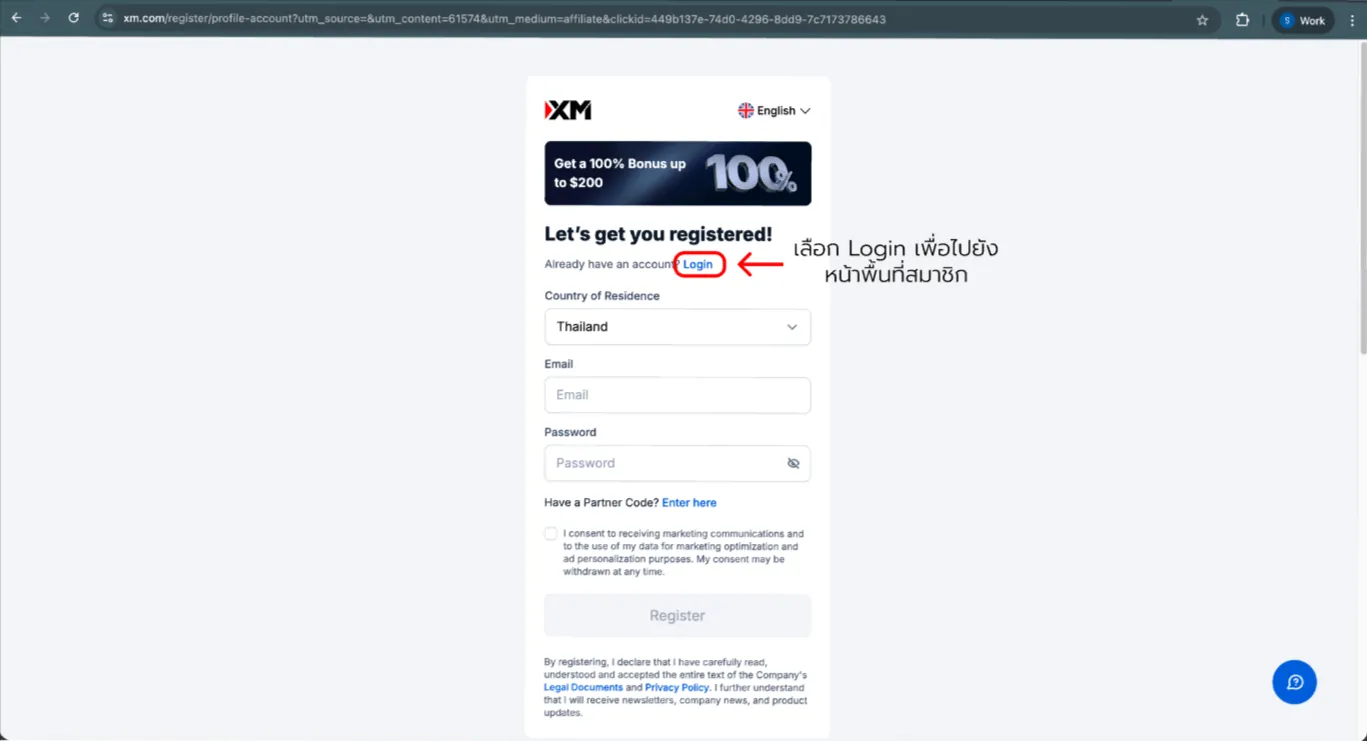
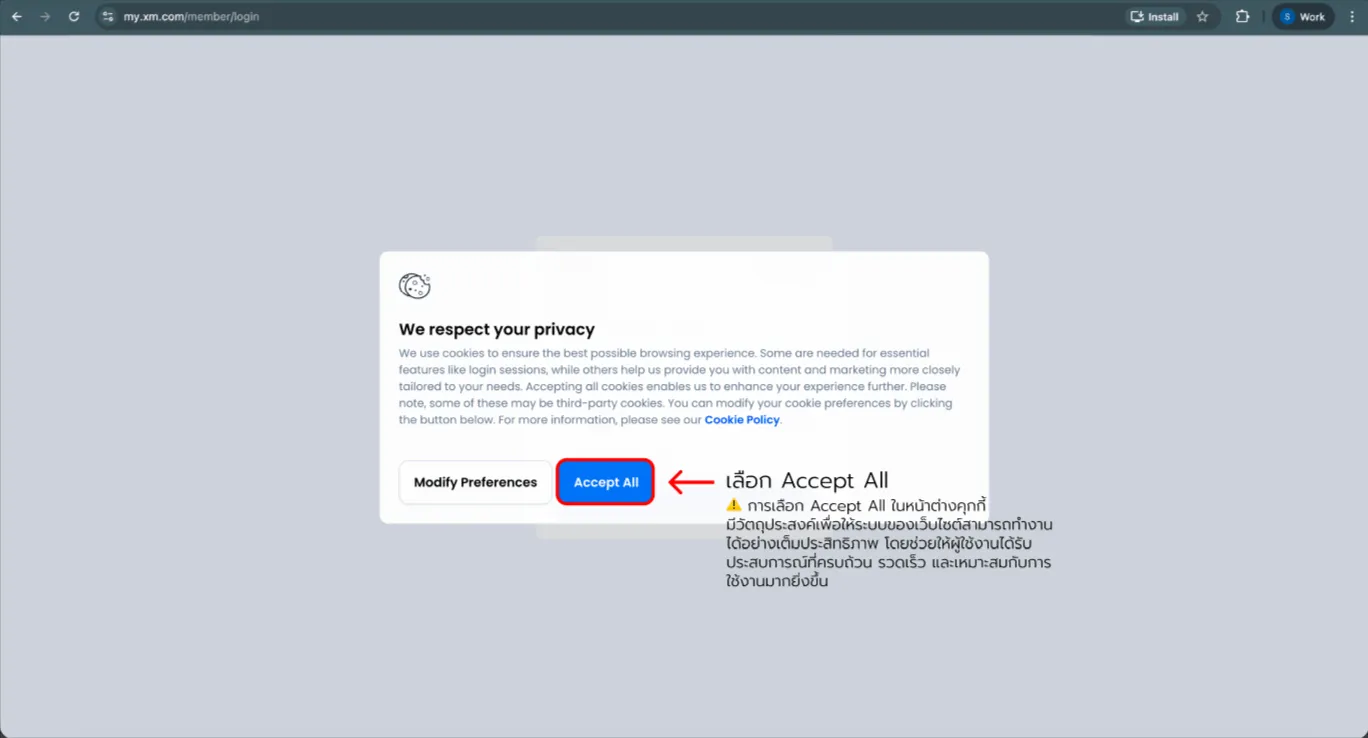
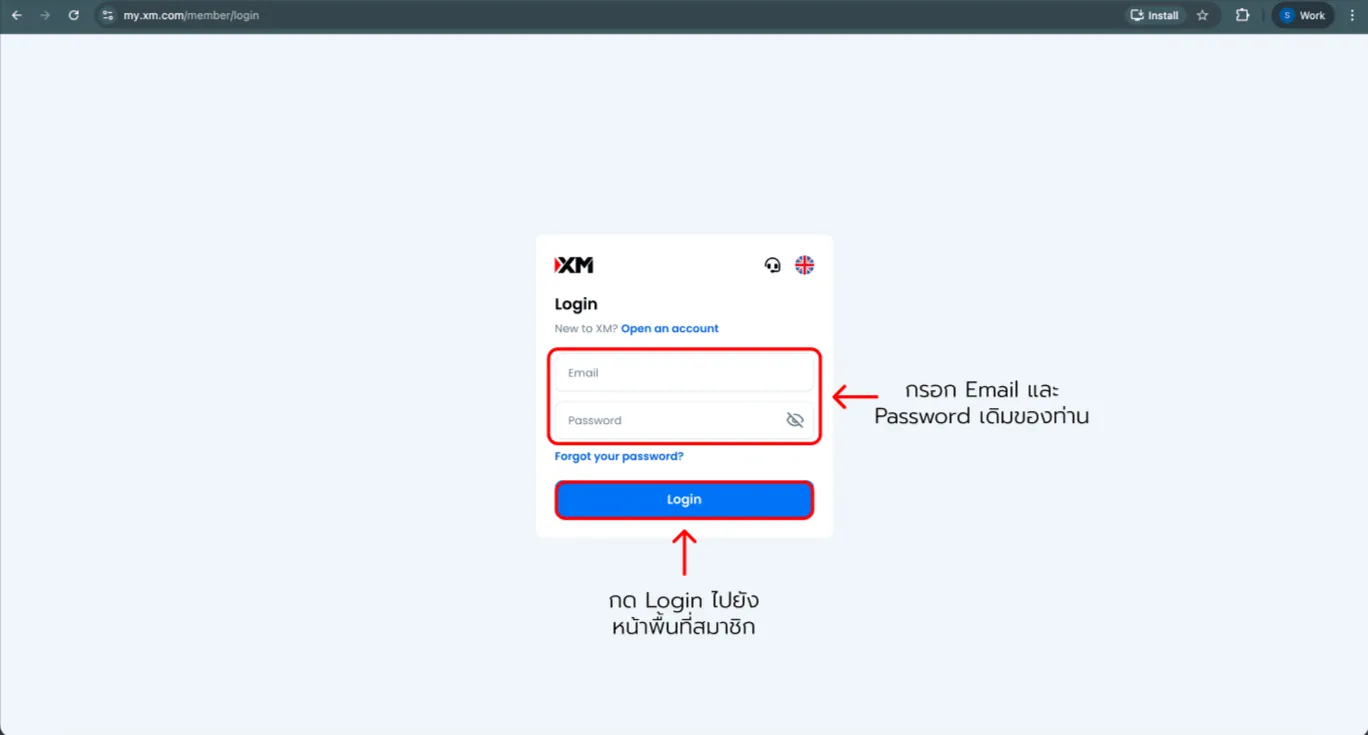
1. Log in to the Members Area

First, sign in with your account on the website using this link: https://affs.click/fWE01
XM add account — screenshot 1XM add account — screenshot 2XM add account — screenshot 3

Scroll to see all details

2. Create a new account (Real Account)

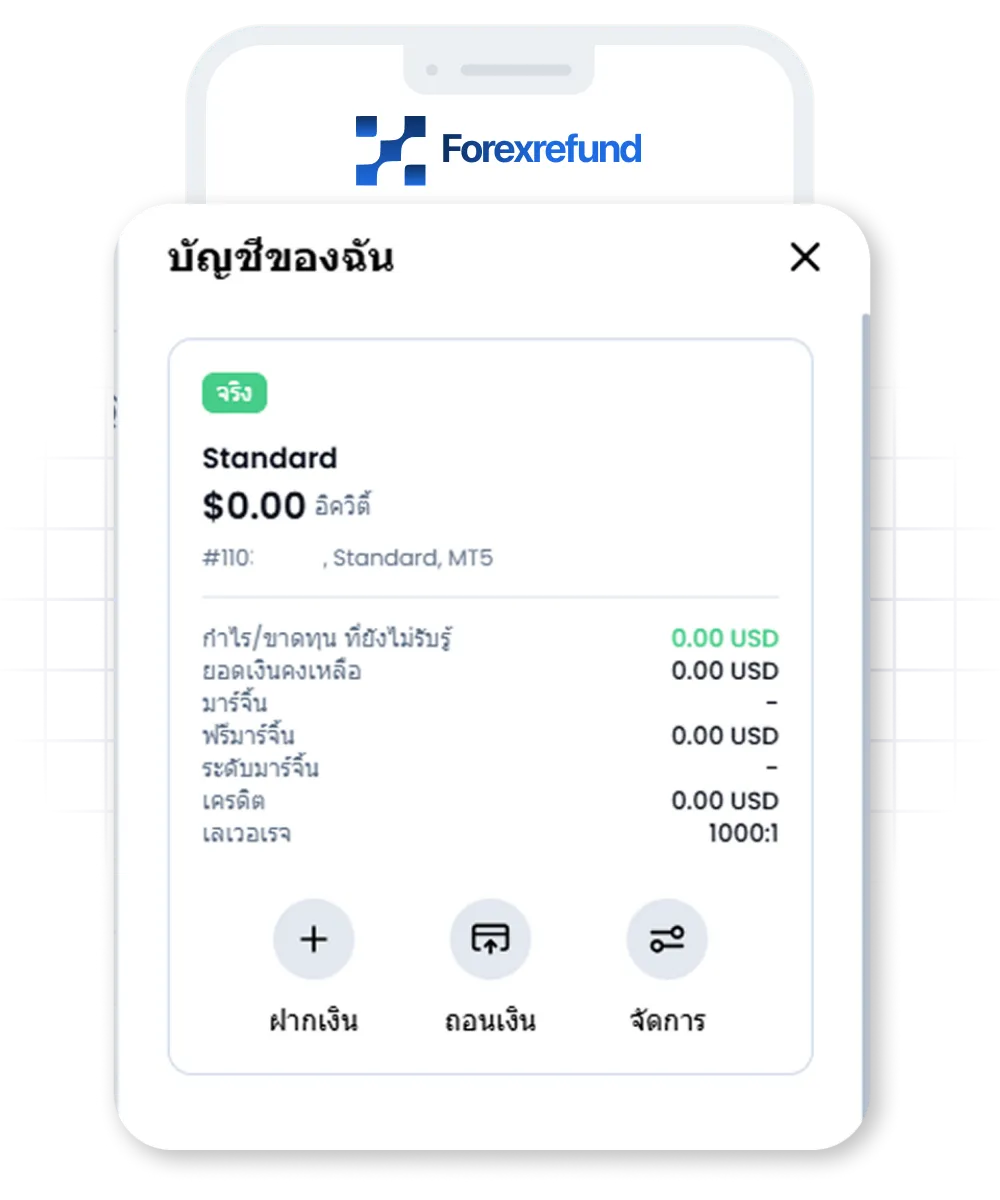
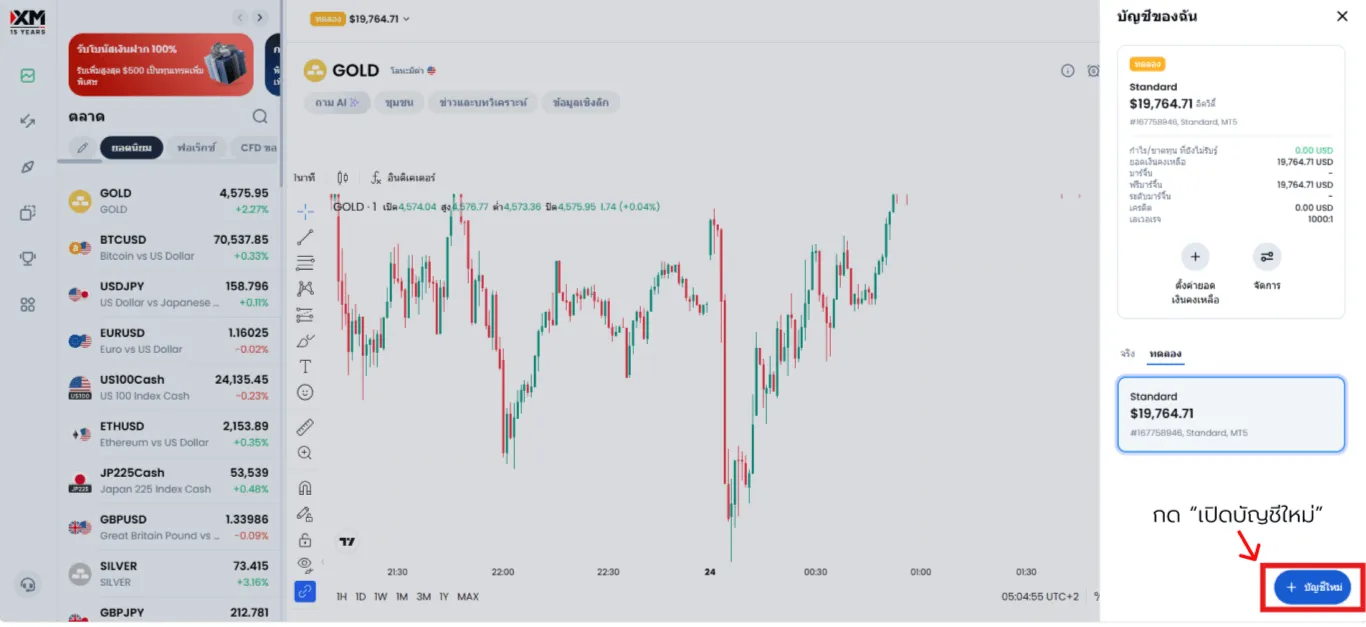
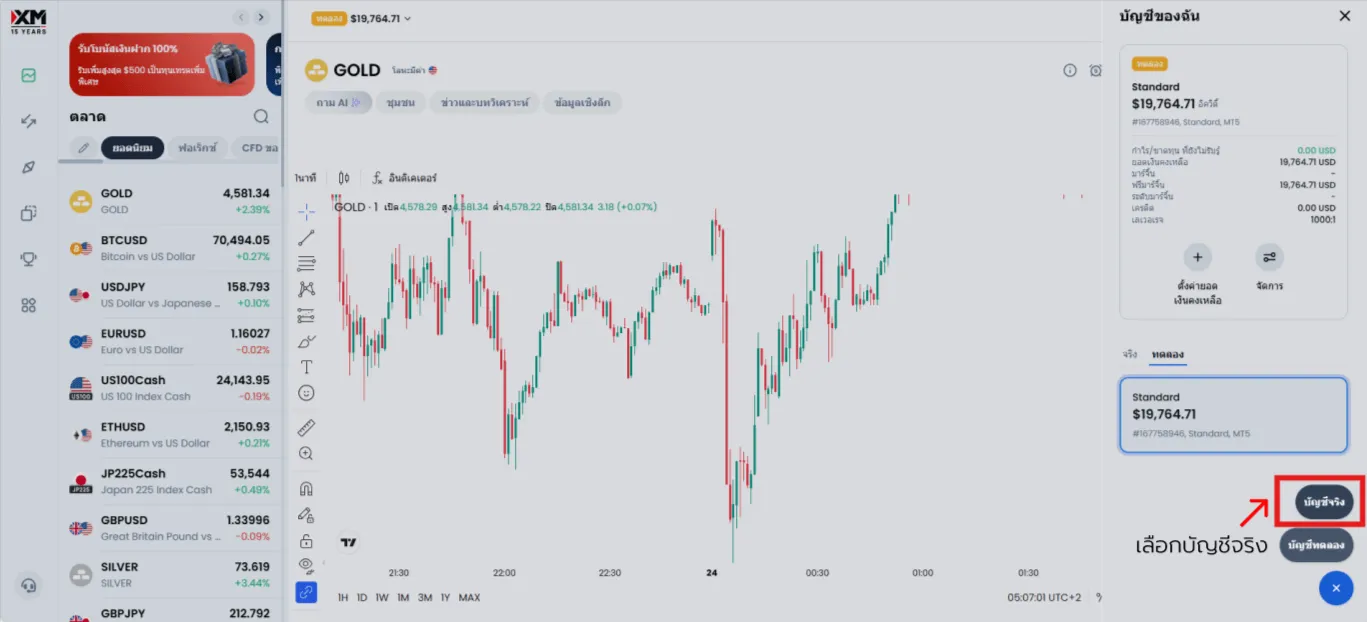
On the home screen, look for "My Account" or the "Open additional account" button.
XM add account — screenshot 4XM add account — screenshot 5

Scroll to see all details

3. Choose a trading platform

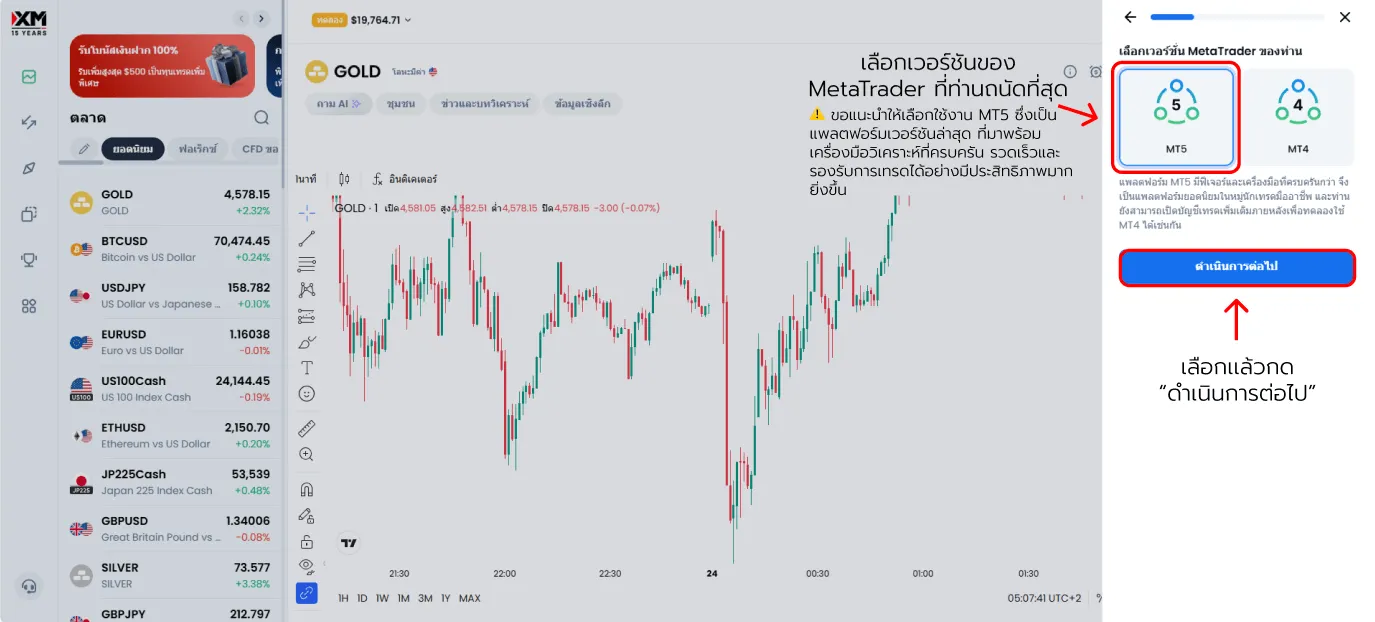
Pick the MetaTrader version you prefer: MT4 or MT5.
XM add account — screenshot 6

Scroll to see all details

4. Choose the right account type

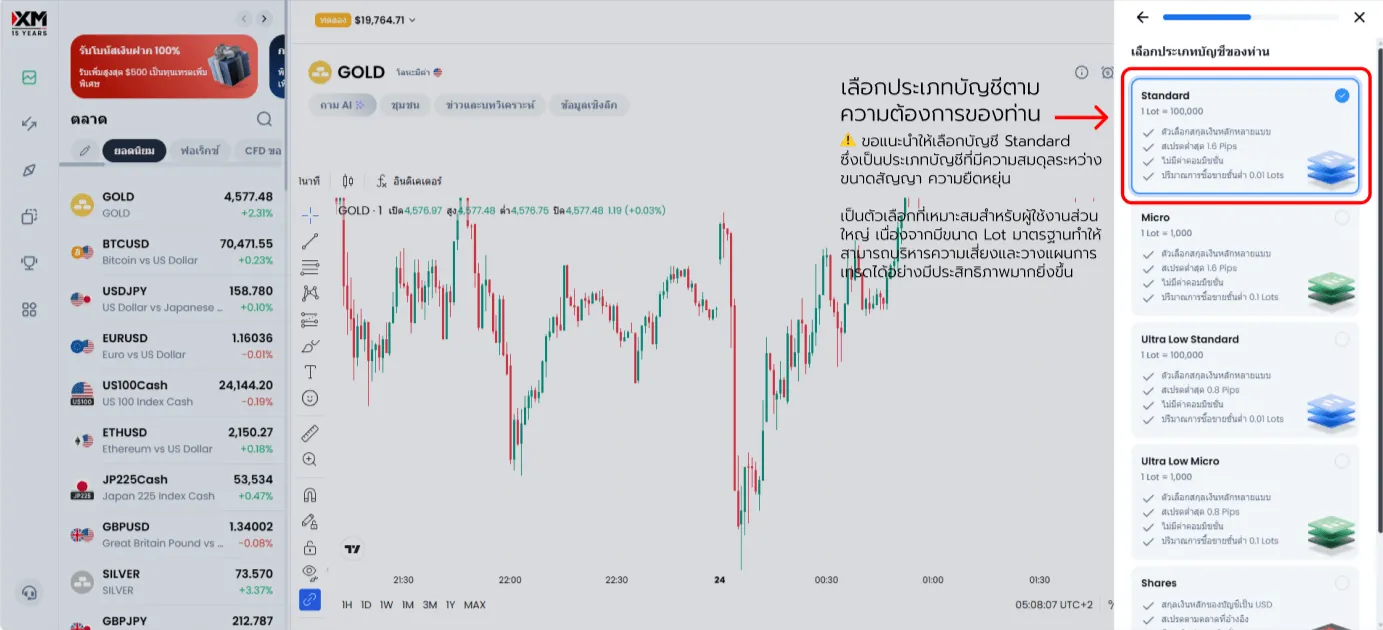
XM offers several account types, each with different strengths:
  • Standard: Standard account—full bonus eligibility.
  • Micro: Good for smaller-size practice; bonuses work the same way.
  • Standard Ultra Low (Standard/Micro): Tighter spreads for experienced traders; no bonuses.
XM add account — screenshot 7

Scroll to see all details

5. Account settings (do not skip this!)

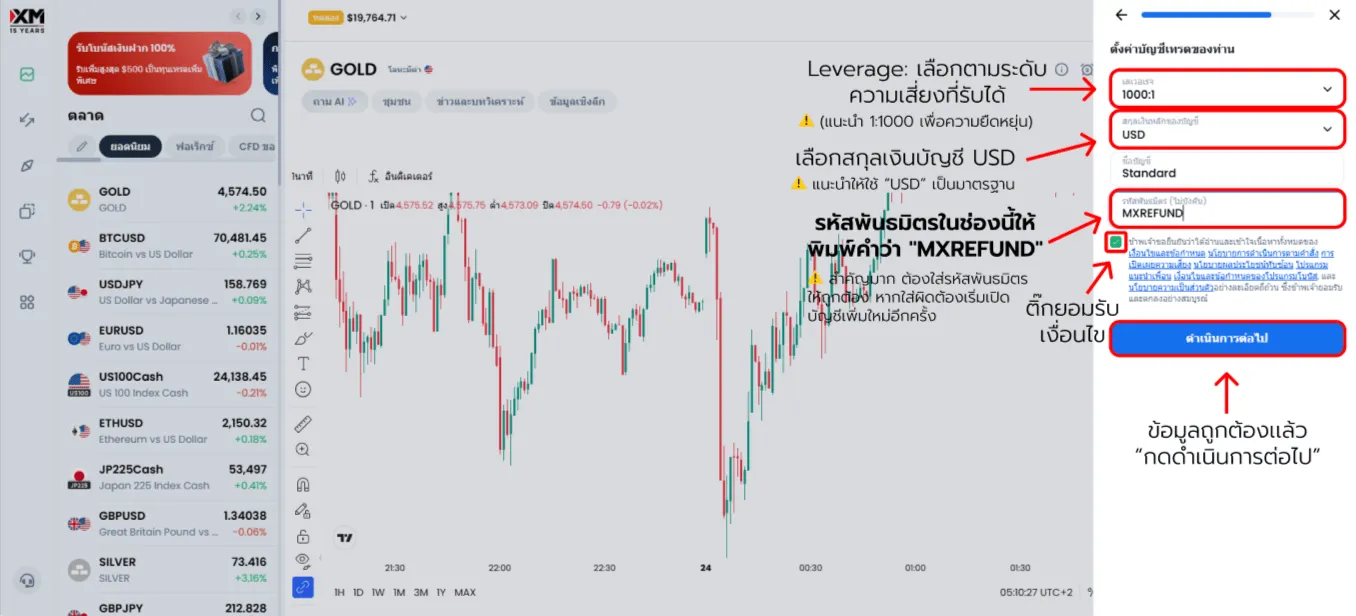
This step is essential for receiving rebates—enter the partner code correctly:

Partner code: MXREFUND
Do not forget the partner code! Type it in the "Partner code" field—if you leave it blank, you will not receive the rebate.
XM add account — screenshot 8

Scroll to see all details

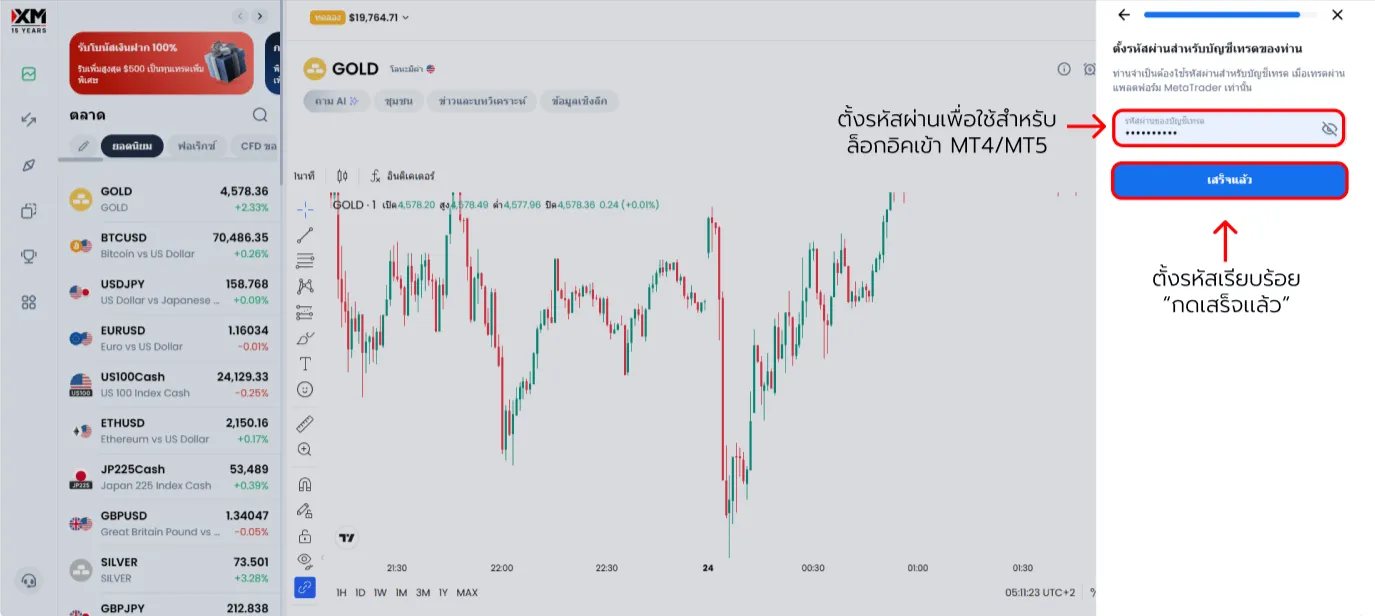
6. Set your trading password

Create a new password for this trading account (for logging into MT4/MT5 only—different from your website login). Save it securely and do not lose it!
XM add account — screenshot 9

Scroll to see all details

All set—you are ready for rebates on this account. The more you trade, the more you can earn back.
If anything is unclear while adding an account, reach out to us through any of our channels.

Frequently asked questions: Adding an XM trading account

Key questions about opening additional XM trading accounts.

Can existing clients open more trading accounts?

Answer: Yes. Existing clients can open additional trading accounts directly in the Members Area under the same profile. You do not need a completely new registration—the system is designed so you can manage multiple accounts efficiently in one place.

Do I have to verify my identity again to add an account?

Answer: Usually not, because your information has already been verified. However, if your details change or are incomplete, the system may ask for extra documents for accuracy and security.

Can I choose the settings for the new account?

Answer: Yes. You can configure account type, leverage, currency, and platform so they fit your investing goals and trading style.

How long does it take to open an extra account?

Answer: The process is typically very fast—often just a few minutes—because it builds on data that is already verified.

How does having multiple accounts help portfolio management?

Answer: Multiple trading accounts give you flexibility to separate strategies, risk levels, or objectives in an organised way—popular among traders who want better control and efficiency.

News

Stay updated to increase Net Rebate and news